EN
10
4. Operating Instructions
Choose the menu according to different recipes.
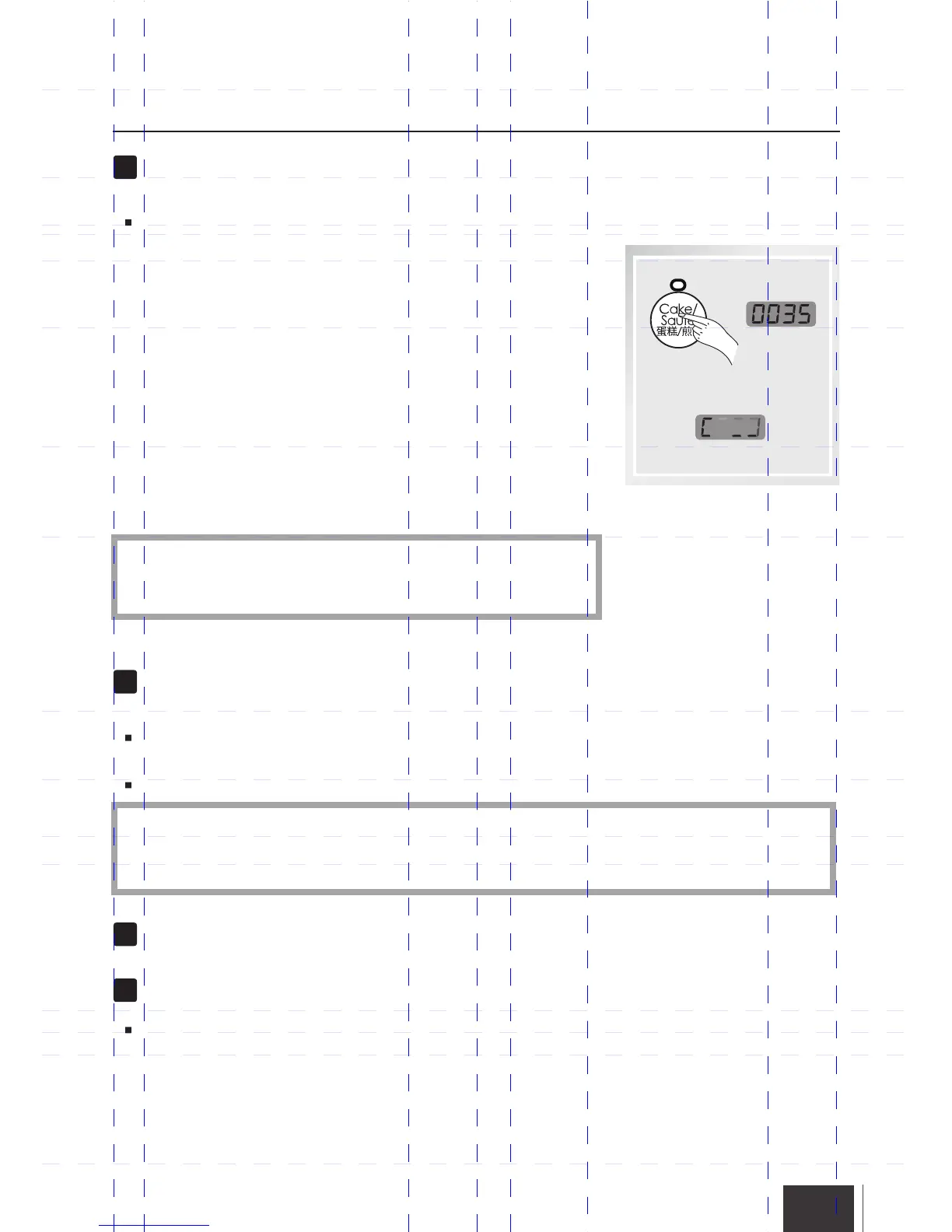
How to use “Cake/Saute”.
This menu includes two different functions: Cake and Saute.
To cook the Cake, after place ingredients into the Inner Pot,
please close the lid and adjust the Pressure Limiting Valve
to “Exhaust” position.
To use Saute, this function allows cooking over high heat,
1. Make sure the lid is not on the unit.
2. Add oil or butter as directed in your recipe and place food
into the Inner Pot.
3. Watch up in the whole Saute process, avoid the food
overcooking.
4. Stir or turn food as needed until desired color and
consistency is reached.
5. Press “Keep Warm/Cancel” button to stop the cooking.
Before Pressure cooking, most recipes will benefit from the
golden color, richer flavors and moist results gained from
Sauteing/Browning.
*
after 2 seconds
When screen displays END, the cooking is finished,
you need release the pressure as follow:
Method One: Press “Keep Warm/Cancel” button to stop Keeping Warm, adjust the Pressure
Limiting Valve to “Exhaust” position to release the steam, until the Floating Valve sinks.
Method Two: Wait for cooling down itself and until the Floating Valve sinks.
For liquid food(Congee, viscous fluid), when screen displays END, never use method one,
must use method two to serve the food to avoid the fluid of food to spurt out from the vent
holes. Wet towel can be placed on the Lid to increase the speed of cooling down.
*
Unplug the Power cord.
Open the Lid
Hold the Lid's Handle, turn it in clockwise
direction unit reach the end position, lift
upward the Lid, then the food can be served.


 To Next Page