EasyManua.ls Logo

CORONA 3 - Adjusting Paper Alignment

CORONA 3
20 pages
Print Icon
To Next Page IconTo Next Page
To Previous Page IconTo Previous Page
Loading...
How
to
Use
Corona
When
it
is
necessary
to
make
corrections
in
a letter, which
has
been
removed
from
the
machine, the
space
to be filled
in can
quickly
be
located
by
means
of the scale
on
the
Line Indicator.
Thus
:
bring
bottom
of
printed
letters on
a line
with top
of scaled
wings.
First
press
Paper
Release
toward
you until
it
catches.
Then
locate
any
letter
so
that
one
of
the
white marks
on
the Line
Indicator
will
come
in the
center
of
that letter.
Now
throw back
Paper
Release
Lever
so
that
paper
will
be held
securely in
position
selected
and
move
carriage
until
the
space
to be filled
in
comes
opposite
opening
in
Type
Guide.
If
any
difficulty
is
encountered
in
locating
the
exact
writing
line,
raise
the
Platen
Release
Lever,
thus
freeing
the
Platen
so that
it may
be
turned
to any
position
desired.
When
a
number
of
carbon
copies
are
to be
made
it is
advisable
to lock
Paper
Release
while
inserting.
Straightening
or
Adjusting
Paper
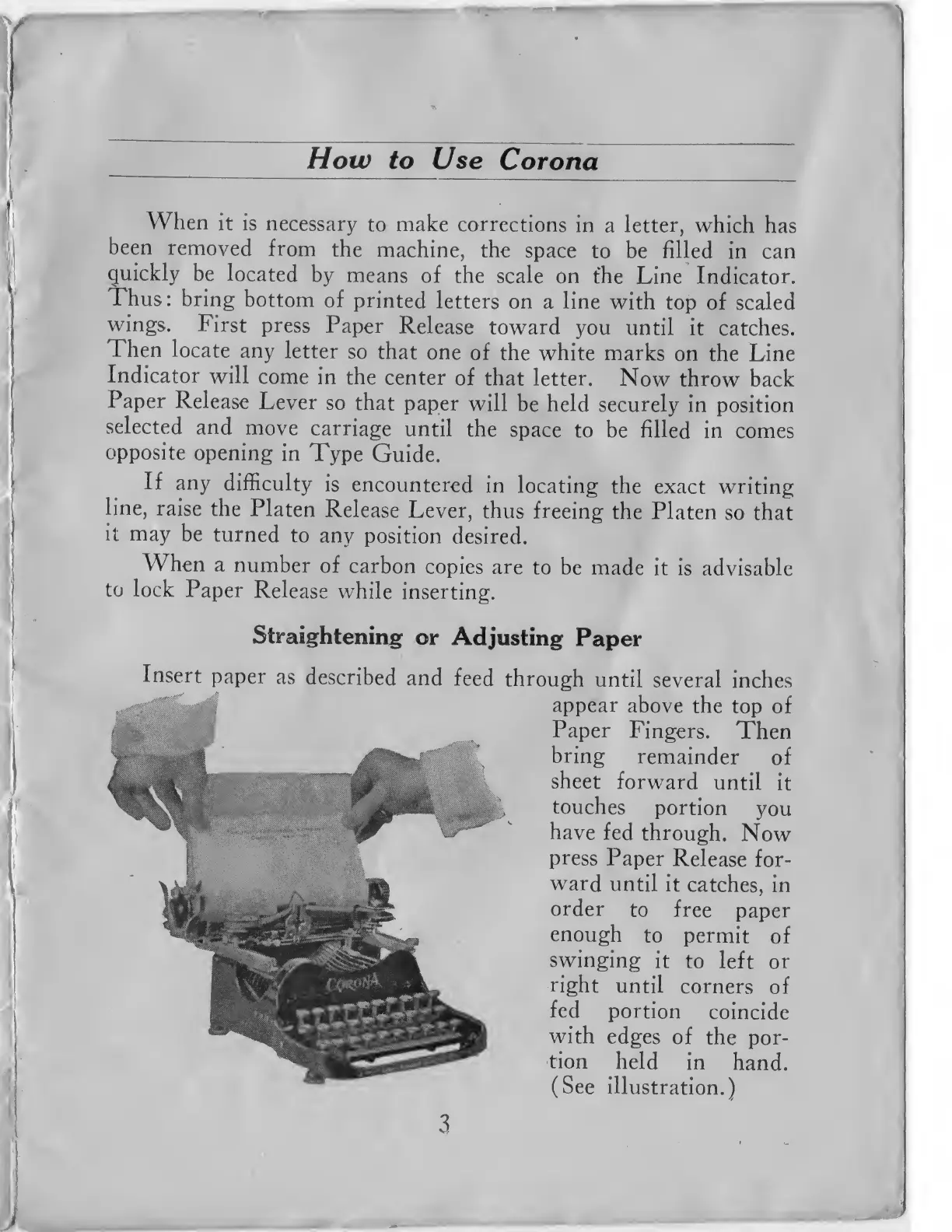
Insert
paper
as
described
and
feed
through
until
several
inches
appear
above
the
top of
Paper
Fingers.
Then
bring
remainder
of
sheet
forward
until
it
touches
portion
you
have
fed
through.
Now
press
Paper
Release
for-
ward
until it
catches,
in
order
to free
paper
enough
to
permit
of
swinging
it
to left
or
right
until
corners
of
fed
portion
coincide
with
edges
of
the por-
tion
held
in
hand.
(See
illustration.)
3