
 Need help?
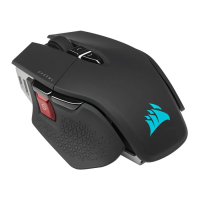
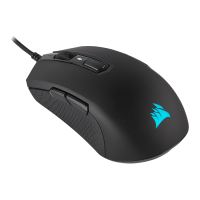
Do you have a question about the Corsair M55 RGB PRO and is the answer not in the manual?
Connect mouse to PC, download and install iCUE software for initial setup and functionality.
Instructions for enabling Right-Handed mode, with or without iCUE software.
Instructions for enabling Left-Handed mode, with or without iCUE software.
 General
| Purpose | Gaming |
|---|---|
| Scroll type | Wheel |
| Buttons type | Pressed buttons |
| Polling rate | 125, 250, 500, 1000 Hz |
| Buttons quantity | 8 |
| Device interface | USB Type-A |
| Scrolling directions | Vertical |
| Number of scroll wheels | 1 |
| Movement detection technology | Optical |
| Customizable movement resolution | Yes |
| Buttons durability (million clicks) | 50 |
| Number of movement resolution modes | 2 |
| Form factor | Ambidextrous |
| Product color | Black |
| Illumination color | Multi |
| Cable length | 1.8 m |
| Power source | Cable |
| Windows operating systems supported | Windows 10, Windows 7, Windows 8 |
| Connectivity technology | Wired |
| Harmonized System (HS) code | 84716070 |
 Weight and Dimensions
| Weight | 86 g |
|---|





 To Next Page