CORSAIR
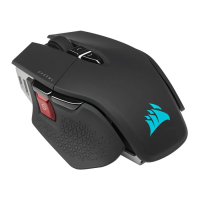
M75 WIRELESS
FPS Gaming Mouse
CHARGING THE MOUSE
IMPORTANT: The M75 WIRELESS mouse must be fully charged before its first use.
Connect the mouse to an available USB 2.0 or 3.0 port on your PC with the USB
CHARGING / DATA CABLE (N).
The MULTIPURPOSE INDICATOR & CUSTOMIZABLE RGB (H) on the mouse will
begin pulsing green to denote battery charging and will turn solid when charging
is complete.
GETTING TO KNOW YOUR MOUSE
IMAGE FPO

 Need help?




 To Next Page
 General