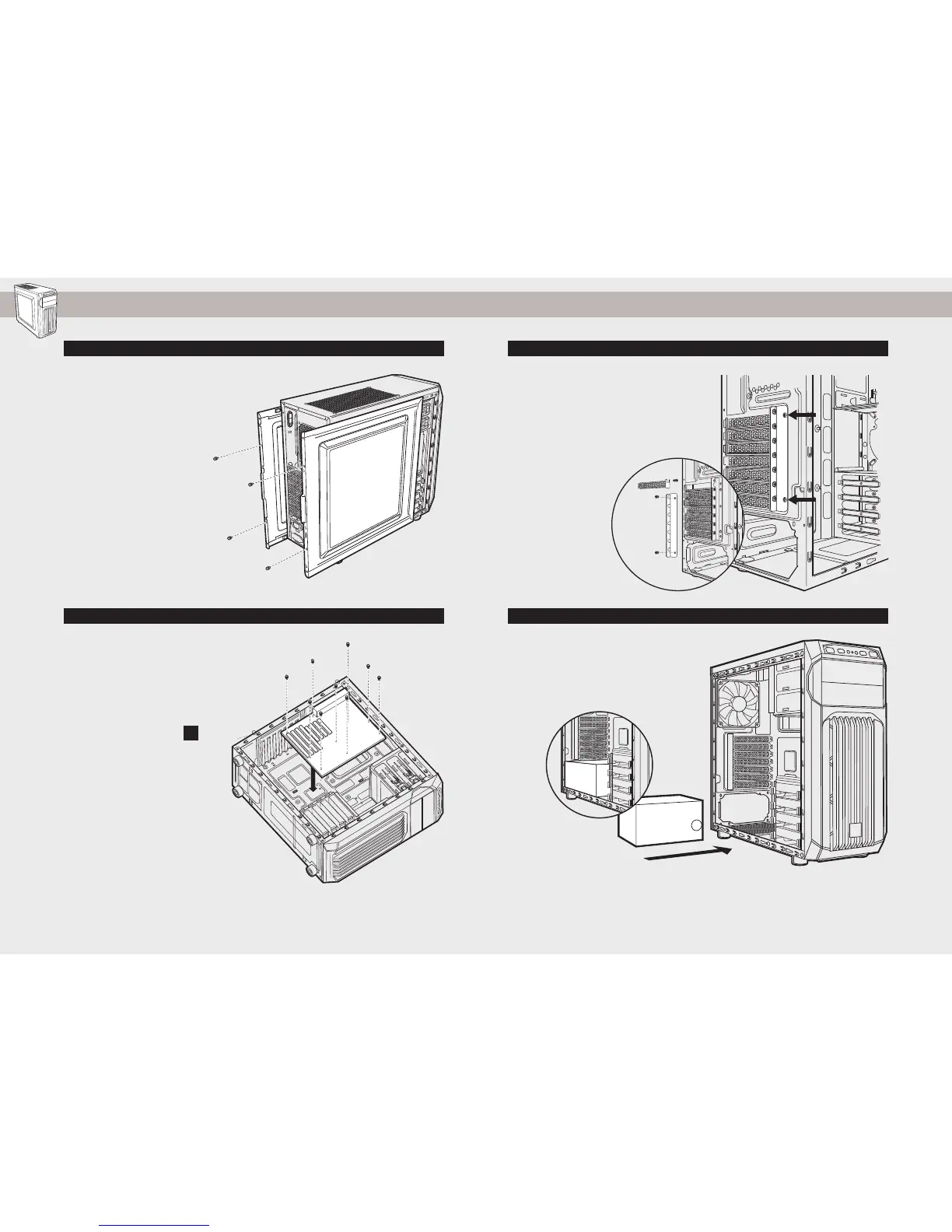
3. Installing PCI-E/PCI Card(s)1. Removing the Side Panels
SPEC-01
Simply remove the
thumbscrews then slide the
side panels back and out.
Note: Corsair recommends
removing both side panels and
setting them aside when building
your system to avoid accidental
damage. Both side panels are
interchangeable and should be
removed to reduce clutter.
Remove thumbscrews and
corresponding slot cover(s).
Install the add-on card and
secure with thumbscrews.
Position the PSU on the
bottom of the case then align
the case holes and secure the
PSU with screws provided with
your power supply.
2. Installing the Motherboard 4. Installing the PSU (Power Supply Unit)
First, install your
motherboard’s I/O shield (see
your motherboard’s manual
for guidance).
Align your motherboard with
the pre-installed standos.
Use the provided screws
to secure the
motherboard to the
motherboard tray.
b


 To Next Page