Need help?
Do you have a question about the Corsair VOID ELITE SURROUND and is the answer not in the manual?
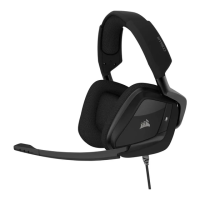
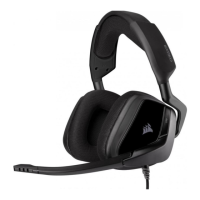
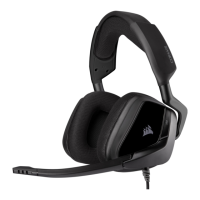
Adjusts the headset for a comfortable and secure fit.
Connects the microphone boom to the earcups, allowing for position adjustment.
A dedicated button to quickly mute or unmute the microphone.
Allows for easy adjustment of the headset's audio volume.
Enables 7.1 surround sound audio on compatible PCs.
Provides comfortable cushioning for extended listening sessions.
Reduces plosive sounds and background noise for clearer voice capture.
Explains stereo and 7.1 surround sound modes and connection options.
Guides users on downloading, installing, and utilizing the iCUE software for enhanced features.
Advises on safe listening practices to prevent hearing damage from high volumes.
 General
| Cable color | Black |
|---|---|
| Cable length | 1.8 m |
| Headset type | Binaural |
| Product type | Headset |
| Product color | Black, Red |
| Wearing style | Head-band |
| Recommended usage | Gaming |
| 2.5 mm connector | - |
| Dolby technologies | 7.1 Surround Sound |
| USB connectivity | Yes |
| Connectivity technology | Wired |
| Impedance | 32000 Ω |
| Ear coupling | Circumaural |
| Headphone frequency | 20 - 30000 Hz |
| Headphone sensitivity | 116 dB |
| Microphone type | Boom |
| Microphone frequency | 100 - 10000 Hz |
| Microphone sensitivity | -42 dB |
| Microphone direction type | Omnidirectional |
| Microphone input impedance | 2000 Ω |
| Package type | Box |
| Subwoofer driver diameter | 50 mm |
| Harmonized System (HS) code | 85183000 |
 Weight and Dimensions
| Weight | 382 g |
|---|


 To Next Page