
 Need help?
Do you have a question about the Corsair VOID Surround and is the answer not in the manual?
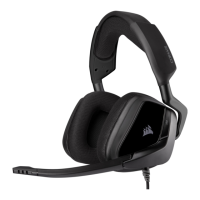
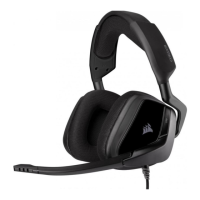
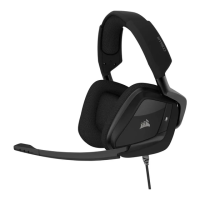
Details the mute button, volume control, ear pads, headband, and microphone arm.
Highlights the mute button and identifies the cable exit side of the headset.
Instructions on wearing the headset, adjusting the headband, and positioning the microphone.
Guide to downloading, installing, and using the CUE software for headset customization.
Recommendations for optimal audio quality using the CUE software equalizer and safe listening practices.
Instructions for adjusting headset volume using CUE or Windows, and microphone positioning.
Guidance on bending the microphone boom and positioning it for clear voice input and noise rejection.
 General
| Headset type | Binaural |
|---|---|
| Product type | Headset |
| Plug and Play | Yes |
| Product color | Black |
| Wearing style | Head-band |
| Recommended usage | Gaming |
| Audio output channels | 7.1 channels |
| Connectivity technology | Wired |
| Impedance | 32 Ω |
| Driver unit | 50 mm |
| Magnet type | Neodymium |
| Ear coupling | Circumaural |
| Headphone frequency | 20 - 20000 Hz |
| Headphone sensitivity | 107 dB |
| Microphone type | Boom |
| Microphone frequency | 100 - 10000 Hz |
| Microphone sensitivity | -38 dB |
| Microphone direction type | Unidirectional |
| Microphone input impedance | 2200 Ω |
| Quantity | 1 |


 To Next Page