 Need help?
Do you have a question about the Corsair XENEON 32QHD165 and is the answer not in the manual?
Overview of physical buttons and joystick functions for operation.
Guide on accessing and navigating the monitor's OSD settings.
Detailed explanation of picture quality adjustment options within the OSD.
Settings for language, transparency, and OSD timeout.
Configuration of system-level display options like aspect ratio and LED.
Controls for audio output volume and input selection.
How to switch between different video input sources.
Status information on current display features and settings.
Solutions for frequent problems like power, image, and signal errors.
Comprehensive list of hardware and connectivity specifications.
Pre-configured picture settings for various usage modes.
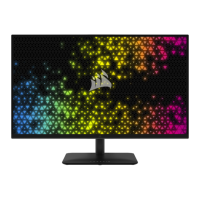
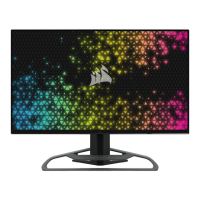
The CORSAIR XENEON 32QHD165 is a high-performance gaming monitor designed to deliver an immersive visual experience with advanced features for both gaming and general use. This monitor is built with a focus on picture quality, responsiveness, and user comfort, making it suitable for a wide range of applications from competitive gaming to content creation and everyday computing.
The XENEON 32QHD165 serves as a primary display for computers and other video sources, offering a large 32-inch diagonal screen with a Quad HD (2560x1440) resolution. This resolution provides a sharp and detailed image, ideal for displaying high-fidelity graphics in games and applications. A key feature of this monitor is its high refresh rate of 165Hz, which ensures exceptionally smooth motion, reducing blur and ghosting in fast-paced scenes. This is particularly beneficial for gamers, as it allows for quicker reaction times and a more fluid visual experience.
The monitor incorporates IPS (In-Plane Switching) panel technology with Quantum Dot Technology, which contributes to vibrant and accurate color reproduction, wide viewing angles (178° horizontal and vertical), and excellent contrast. This makes the display suitable for tasks requiring color precision, such as graphic design or video editing, in addition to gaming. The display is VESA DisplayHDR 400 certified, indicating its capability to produce a dynamic range of brightness and contrast, enhancing the realism of HDR content.
For connectivity, the XENEON 32QHD165 is equipped with multiple input options, including two HDMI 2.0 ports, one DisplayPort 1.4, and a versatile USB Type-C port. The USB Type-C port supports DisplayPort Alt Mode, allowing for video input, and also provides 15W Power Delivery, enabling it to charge compatible devices while simultaneously receiving a video signal. This port also functions as a USB upstream input, connecting to the monitor's integrated USB 3.0 hub, which features two Type-A 5Gbps USB ports for connecting peripherals like keyboards, mice, or external storage. An additional USB-IN port is provided for upstream USB connectivity, ensuring that the monitor's USB hub and CORSAIR iCUE functionality are available even when the USB-C port is not used for video. A 3.5mm audio jack allows for audio output from any connected video source.
The monitor supports adaptive sync technologies, specifically AMD FreeSync Premium and NVIDIA G-SYNC compatibility, which synchronize the display's refresh rate with the graphics card's frame rate. This eliminates screen tearing and stuttering, providing a smoother and more immersive gaming experience.
The XENEON 32QHD165 is designed with user comfort and convenience in mind. Its robust and stylish stand offers extensive adjustability, including tilt (-5/+20 degrees), swivel (±30 degrees), and a height adjustment range of 110mm (from 497mm to 607mm). This ergonomic flexibility allows users to position the screen optimally to reduce strain during long sessions. For those who prefer alternative mounting solutions, the monitor is VESA 100mm x 100mm compatible, allowing it to be used with wall mounts or monitor arms (sold separately).
Navigation of the monitor's settings is intuitive, thanks to a joystick located on the rear, right-facing side. This joystick provides quick access to shortcuts and the On-Screen Display (OSD) menu. The OSD menu is comprehensive, offering control over various picture settings (e.g., brightness, contrast, color temperature, gamma, saturation, eye saver mode, response time, refresh overlay, MPRT), OSD settings (language, transparency, time out), system settings (aspect ratio, AMD FreeSync Premium, LED indicator, source detection, USB-C Alt Mode configuration, factory reset), audio settings (volume, input select), and information about current display status.
The monitor also integrates with CORSAIR iCUE software, allowing users to control many display settings directly from their computer, provided the USB hub is connected. This enhances convenience and offers a centralized control point for CORSAIR ecosystem users.
A notable feature for streamers and content creators is the compatibility with Elgato Flex Arm and Camera Mounting Adapter Kits (sold separately). The top of the monitor post includes a 1/4" connector, enabling the attachment of a camera directly to the display, streamlining desk setups and improving aesthetics.
Cable management is addressed through CORSAIR's RapidRoute system, which includes four adjustable cable clips on the monitor post. These clips help keep the desktop tidy by routing cables neatly down the stand, enhancing the overall clean look of the workspace.
Maintaining the XENEON 32QHD165 involves simple care practices to ensure its longevity and optimal performance. The screen surface is delicate and can be easily scratched, so it is recommended to avoid touching it with hard or sharp objects. For cleaning the screen, a soft, lint-free cloth should be used. If necessary, a glass cleaner can be applied to the cloth (never directly sprayed onto the screen) to wipe the surface gently.
The monitor is designed for proper ventilation, with holes and openings that should not be covered or blocked by any objects. This prevents overheating and ensures stable operation. It is crucial to keep the monitor away from water, drinks, or any liquids to prevent electric shock or damage.
For extended periods of non-use, disconnecting the power cable is advised. Users are also cautioned against attempting to disassemble or repair the monitor themselves, as this could void the warranty and potentially cause further damage.
CORSAIR offers a "Zero Dead Pixel" policy, ensuring that if one or more bright pixels or six or more dark subpixels are found, the monitor will be exchanged within the three-year warranty period. This policy provides peace of mind regarding display quality.
The included accessories, such as the AC adapter and various cables (DisplayPort, HDMI, USB-C), are specifically designed for this monitor, and using only recommended accessories is advised for optimal performance and safety.
 General
| Color depth | 8 bit |
|---|---|
| Color gamut | 98 % |
| Screen shape | Flat |
| Pixel density | 91.8 ppi |
| Display surface | Matt |
| Display diagonal | 32 \ |
| Anti-glare screen | Yes |
| Display technology | - |
| Native aspect ratio | 16:9 |
| Supported video modes | 2160p |
| sRGB coverage (typical) | 100 % |
| Contrast ratio (typical) | 1000:1 |
| Display number of colors | 16.7 million colors |
| Display diagonal (metric) | 81.28 cm |
| Supported graphics resolutions | 2560 x 1440, 3840 x 2160 |
| High Dynamic Range (HDR) technology | DisplayHDR 400 |
| AMD FreeSync type | FreeSync Premium |
| NVIDIA G-SYNC type | G-SYNC Compatible |
| Product color | Black |
| Market positioning | Gaming |
| DisplayPort version | 1.4 |
| USB upstream port type | USB Type-C |
| Number of upstream ports | 1 |
| USB Power Delivery up to | 15 W |
| LED indicators | Power |
| Tilt angle range | 5 - 20 ° |
| Number of OSD languages | 10 |
| Panel mounting interface | 100 x 100 mm |
| On Screen Display (OSD) languages | CHI (TR), DEU, ENG, ESP, FRE, ITA, JPN, KOR, POR, RUS |
| Power consumption (off) | 0.3 W |
| Power consumption (standby) | 0.5 W |
| Power consumption (typical) | 68 W |
| Cables included | AC, DisplayPort, HDMI, USB Type-C |
| DisplayPort cable length | 1.5 m |
| Harmonized System (HS) code | 85285210 |
 Weight and Dimensions
| Depth (with stand) | 316 mm |
|---|---|
| Width (with stand) | 732 mm |
| Height (with stand) | 607 mm |
| Weight (with stand) | 9500 g |

 To Next Page