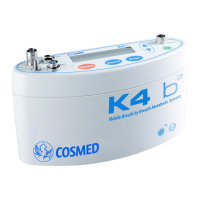
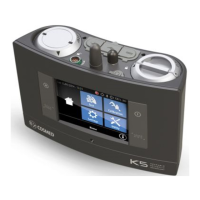
If you receive the error message 'Error#107 CO2 sensor not ready. Unable to complete calibration.' on your Cosmed Medical Equipment, it indicates that the CO2 sensor has not reached its operative temperature. Wait for a few minutes and try again.
L
Lisa CampbellAug 23, 2025
Why does my Cosmed Q-NRG device shut down by itself?
J
Jesus DayAug 23, 2025
If your Cosmed Medical Equipment device behaves erratically or shuts down by itself, it might be due to a fully discharged rechargeable battery. Recharge the battery or operate the device while it is connected to the mains.
J
Jessica BrewerAug 25, 2025
How to unlock a frozen touchscreen on Cosmed Q-NRG Medical Equipment?
W
whitneydavisAug 25, 2025
If the touchscreen on your Cosmed Medical Equipment is not responding to commands, the lock screen might be active. Unlock the screen by holding the unlock icon.
J
Jennifer DavenportAug 26, 2025
What to do if the battery of Cosmed Medical Equipment does not recharge properly?
M
Michael HernandezAug 27, 2025
If the battery in your Cosmed Medical Equipment device is not recharging properly, first check the battery placement to ensure it is properly inserted. Also, verify that the AC power source is providing power by checking the mains socket, power cord, and fuses.
M
Megan RichardsonAug 28, 2025
Why is the battery life of my Cosmed Q-NRG Medical Equipment shorter than usual?
G
gina37Aug 28, 2025
If the battery life between charges is shorter than usual for your Cosmed Medical Equipment device, the battery may be exhausted. The expected lifetime of Li-Ion batteries is limited, so consider replacing the battery.
T
taylormcdonaldAug 29, 2025
What to do if a black screen appears during FW upgrade of Cosmed Q-NRG?
T
Tiffany SimmonsAug 29, 2025
If you encounter a black screen during the firmware upgrade process for your Cosmed Medical Equipment, it's possible that the user interface was not correctly uploaded. Turn the unit off by long-pressing the ON/OFF button and try the upgrade process again.
D
Derek HortonSep 18, 2025
What does Error#106 mean on Cosmed Q-NRG Medical Equipment device?
M
Megan GilbertSep 18, 2025
If you receive the error message 'Error#106 O2 sensor exhausted (Maintenance required)' on your Cosmed Medical Equipment, it means the O2 output signal is lower than the minimum acceptable threshold due to sensor aging. Replace the O2 sensor according to the maintenance instructions.
S
Samantha SchneiderSep 12, 2025
What does Error#114 mean on Cosmed Medical Equipment device?
I
Ian WilliamsSep 12, 2025
If you receive the error message 'Error#114 Residency not detected' on your Cosmed Medical Equipment, it suggests that one or more calibration sensors might be disconnected. Check the connections and recalibrate as necessary.
H
Hannah RomeroSep 8, 2025
What does Error#105 mean on Cosmed Q-NRG Medical Equipment device?
E
Evan ClementsSep 9, 2025
If you receive the error message 'Error#105 Environmental CO2 too high' on your Cosmed Medical Equipment, it means the room air CO2 content is higher than the maximum admissible level of 0.25%. Ensure the room is properly aerated before performing calibration and testing.
S
Stacy WelchSep 5, 2025
What does Error#100 mean on Cosmed Q-NRG?
V
virginia46Sep 5, 2025
If you receive the error message 'Error#100 Detected flow too low' on your Cosmed Medical Equipment, it indicates that the flow during Pneumotach calibration is lower than expected. Check the Pneumotach connections and, if necessary, replace the Pneumotach with a new one.


 To Next Page
 General