EasyManua.ls Logo

Costway FP10073US - User Manual

Costway FP10073US
17 pages
Print Icon
To Next Page IconTo Next Page
Loading...
Please give us a chance to make it right and do better !
Contact our friendly customer service department for help first.
Replacements for missing or damaged parts will be shipped ASAP !
Contact Us!
Do NOT return this item.
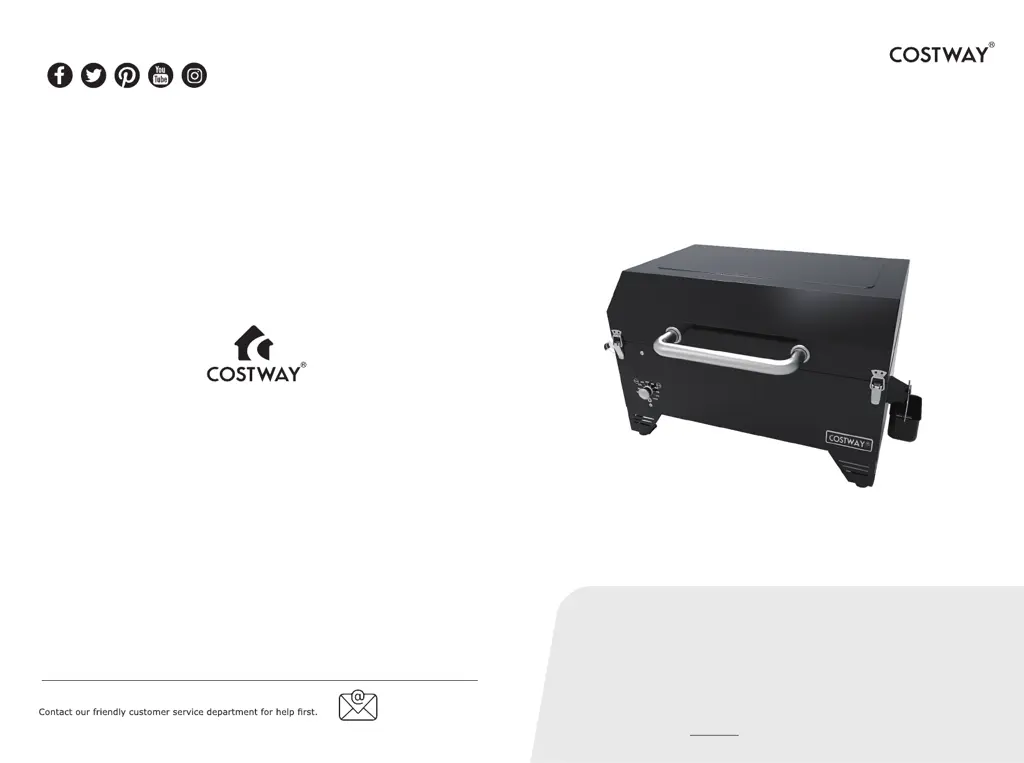
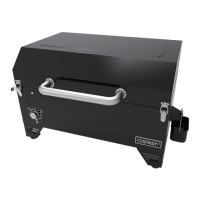
Portable Pellet Grill
FP10073US
USER’S MANUAL
THIS INSTRUCTION BOOKLET CONTAINS IMPORTANT SAFETY INFORMATION. PLEASE READ AND KEEP FOR FUTURE REFERENCE.
US office: Fontana UK office: Ipswich AU office: Truganina
DE office: Hamburg
FR office: Saint Vigor d'Ymonville
PL
US:cs.us@costway.com
way.com
AU:cs.au@costway.com

Questions and Answers

  • T
    Tammie RossAug 17, 2025
    How to fix Costway Grill with no power lights on the control board?
    • C
      Cassandra GreenAug 18, 2025
      If the control board on your Costway Grill has no power lights, there are several potential causes. First, ensure the Temperature Control Dial is set to a temperature. Also, verify the unit is properly plugged into a working power source and reset the breaker. Check that the GFCI is a minimum 10 Amp service. Inspect all wire connections to ensure they are firmly connected and dry. If the fuse on the control board is blown, it will need to be replaced. In some cases, the control board itself may be faulty and require replacement. Contact Customer Service for a replacement part.
  • D
    Darlene FlemingAug 20, 2025
    What to do if my Costway Grill shows flashing temperature on LCD screen?
    • A
      Angelica ChristianAug 20, 2025
      If the temperature is flashing on the LCD screen of your Costway Grill, it indicates that the grill temperature is below 65°C / 150°F. This suggests a risk that the fire could go out. Check the hopper for enough fuel and inspect the feed system for any obstructions. You should also remove pellets and follow the Care and Maintenance instructions. Inspect the grill temperature probe and clean it if dirty, following the Care and Maintenance instructions. Also, check the fire pot for ash build-up or obstructions, cleaning as necessary, and ensure the fan is working properly with no blockages. Finally, verify that the auger motor is operating correctly and that there is no blockage in the auger tube.
  • R
    robinsonbenjaminAug 22, 2025
    Why won't my Costway Grill fire pot light?
    • C
      cheryl86Aug 23, 2025
      If the fire pot in your Costway Grill won't light, it could be due to several reasons. The auger may not be primed, especially if the unit is new or the hopper was completely emptied. Follow the Hopper Priming Procedure. The auger motor might be jammed; inspect the auger feed system to confirm pellets are dropping into the fire pot. An igniter failure could also be the cause; check if the igniter is working by feeling for heat above the fire pot and ensuring it protrudes about 13mm / 0.5 inches into the fire pot. Insufficient airflow through the fire pot, due to ash build-up or obstructions, could also prevent lighting. Check the fan to ensure it is working and the air intake is not blocked.
  • P
    Pamela RochaAug 26, 2025
    How to fix "ErH" error code on Costway Grill?
    • B
      brandonrobertsAug 26, 2025
      The "ErH" error code on your Costway Grill indicates that the unit has overheated, possibly due to a grease fire or excess fuel. To resolve this, press the Power Button to turn the unit off and allow the grill to cool. Then, follow the Care and Maintenance instructions. After maintenance, remove the pellets and confirm the correct positioning of all component parts. Once the grill is cooled, press the Power Button to turn it back on and select the desired temperature.
  • A
    ashley64Aug 27, 2025
    How to resolve Costway Grill temperature instability?
    • M
      michaelconradAug 27, 2025
      If your Costway Grill is not achieving or maintaining a stable temperature, several factors could be responsible. Check the fire pot for ash build-up or obstructions and ensure the fan is working properly with no blockages. Also, verify that the fuel level is sufficient and that the wood pellets are of good quality, without obstructions in the feed system. The temperature probe should also be checked and cleaned if dirty. After completing these steps, start the grill, set the temperature to SMOKE, and wait for 10 minutes to ensure the flame is bright and vibrant.
  • A
    Ashley StewartAug 30, 2025
    What causes excess smoke from Costway Grill?
    • J
      Joanne CollinsAug 30, 2025
      Excess or discolored smoke from your Costway Grill can be attributed to a few issues. Grease build-up is a common cause, so follow the Care and Maintenance instructions. The quality of the wood pellets can also play a role; remove moist pellets and replace them with dry ones, following the Care and Maintenance instructions to clean out the hopper. A blocked fire pot can also cause this issue; clear any ash or debris. Insufficient air intake for the fan may also be the cause, so ensure it is working properly and the air intake is not blocked.
  • S
    Sarah ThomasSep 1, 2025
    How to fix "ErR" error code on Costway Grill?
    • M
      mharperSep 1, 2025
      The "ErR" error code on your Costway Grill indicates that the temperature probe wire is not making a connection. To fix this, remove the hopper access panel and check for any damage to the temperature probe wires. Ensure that the temperature probe connectors are firmly and correctly connected to the control board.
  • J
    Joseph SilvaSep 4, 2025
    What to do if Costway Grill has frequent flare-ups?
    • R
      Rhonda JohnsonSep 4, 2025
      Frequent flare-ups in your Costway Grill can often be managed by cooking at a lower temperature, especially when cooking highly greasy food, keep the temperature under 176°C / 350°F. Also, ensure that you follow the Care and Maintenance instructions to address any grease build-up on cooking components.
  • P
    philip32Sep 7, 2025
    What does flashing dots on LCD screen of Costway Grill mean?
    • A
      Alexis WoodsSep 7, 2025
      The flashing dots on the LCD screen of your Costway Grill simply indicate that the unit has power and is in Start-Up mode with the igniter on. This is normal and not an error. The igniter will turn off after five minutes, and once the flashing dots disappear, the grill will begin adjusting to the selected temperature.
  • J
    Jeffrey MosleySep 9, 2025
    How to fix "ErP" error code on Costway Grill?
    • F
      Frank EstradaSep 9, 2025
      The "ErP" error code on your Costway Grill indicates that the unit was not turned off properly the last time it was connected to power. This safety feature prevents an automatic restart. To resolve this, press the Power Button to turn the unit off, wait two minutes, and then press the Power Button again to turn it back on. Turn the Temperature Control Dial to SMOKE or your desired temperature.

Costway FP10073US Specifications

General IconGeneral
BrandCostway
ModelFP10073US
TypeElectric Grill
Power SourceElectric
MaterialSteel
ColorBlack
Voltage120V
Cooking SurfaceNon-stick
Temperature ControlAdjustable
Cooking Area240 sq in

Related product manuals