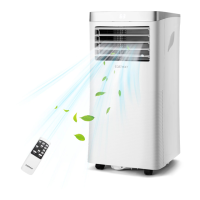
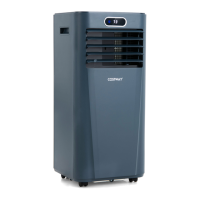
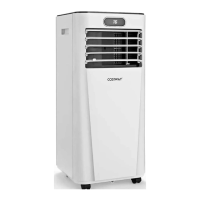
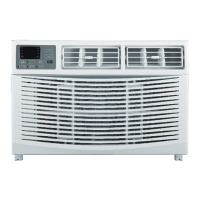
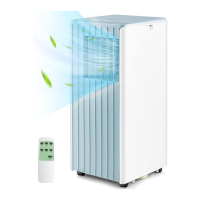
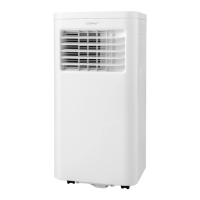
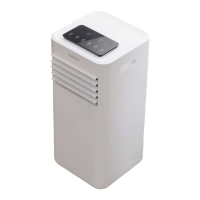
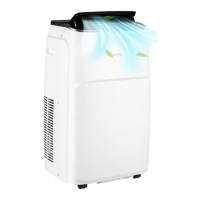
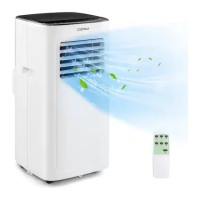
This document describes a portable air conditioner, a versatile appliance designed to enhance comfort in various indoor environments. It offers multiple functions including cooling, ventilation, and dehumidification, making it a comprehensive solution for managing indoor climate.
Function Description
The primary function of this portable air conditioner is to provide cooling for single rooms, creating a more comfortable atmosphere. Beyond cooling, it also serves as a ventilator, circulating air within the room, and a dehumidifier, which helps remove excess moisture from the air. This multi-functional capability allows the unit to adapt to different environmental needs, whether it's a hot and humid day requiring both cooling and dehumidification, or just a need for air circulation.
The unit operates as a self-contained system, meaning it does not require permanent installation, offering flexibility in placement. This makes it particularly suitable for spaces where traditional air conditioning outdoor units cannot be installed, such as kitchens, temporary residences, computer rooms, and garages. The self-evaporating system is a key feature that contributes to its efficiency, as it uses collected water to cool the condenser coils, and the condensate water is then evaporated and expelled through the exhaust hose. This reduces the frequency of manual drainage, especially in cooling mode, unless operating in high humidity conditions or dry mode.
The appliance is equipped with an electronic control system that includes a built-in timer and a sleep mode, allowing for programmed operation and energy saving during rest periods. An automatic restart function ensures that the unit resumes operation with its previous settings after a power outage, providing continuous comfort without manual intervention. Furthermore, an auto defrosting function is integrated to prevent frost buildup at low ambient temperatures, maintaining optimal performance.
Usage Features
Operating the portable air conditioner is designed to be user-friendly, with both a control panel on the unit and a remote control for convenience. The control panel features LED digital display for temperature and timer settings, along with buttons for mode selection, fan speed adjustment, temperature control (Up/Down), and power on/off. A lock function is also available to prevent accidental changes to settings.
The unit offers four distinct operation modes: Cool, Dry, Fan, and Sleep.
- Cooling Mode: To cool a room, users select the cool mode and can adjust the desired temperature within a range of 60.8°F to 89.6°F. The fan speed can also be selected (High or Low) to control the intensity of air circulation. The unit will automatically stop cooling if the room temperature falls below the selected setting.
- Ventilation Mode (Fan): In this mode, the unit circulates room air without cooling. Users can choose between high or low fan speeds to suit their preference for air movement.
- Dehumidifying Mode (Dry): This mode is specifically for removing moisture from the air. When selected, the dry indicator lights up, and the fan speed automatically switches to low. For effective dehumidification, it is recommended to connect a hose to the drain outlet at the bottom of the unit for continuous drainage.
- Sleep Mode: This mode can be activated when the unit is in cool mode, typically via the remote control. It is designed for comfortable sleep, gradually increasing the preset temperature by 33.8°F after the first hour and again after another hour, ensuring a gentler cooling experience overnight.
The timer setting allows users to program the unit to automatically start or stop after a specified number of hours (1 to 24 hours). This feature is useful for energy management and ensuring the room is comfortable when needed.
For installation, the unit requires proper placement on a firm, level surface with at least 20 inches of free space around it to ensure adequate air circulation. It should not be operated near walls, curtains, or other objects that could block air inlets and outlets. The exhaust hose, which expels waste heat and moisture, must be vented outside through a window kit. The manual provides clear steps for connecting the hose to the unit and the window kit, and for securing the window kit in place. It emphasizes the importance of avoiding kinks in the exhaust hose and sealing any gaps around the window kit for maximum efficiency.
Maintenance Features
Regular maintenance is crucial for the optimal performance and longevity of the portable air conditioner. The primary maintenance task involves cleaning the air filter every two weeks. Dust accumulation on the filter can restrict airflow, reduce efficiency, and potentially damage the unit.
- Air Filter Cleaning: To clean the air filter, the unit must first be switched off and unplugged. The filter mesh is then removed, and dust can be vacuumed off. After vacuuming, the filter should be rinsed under running water, allowing water to flow in the opposite direction of air flow. It is important to let the filter air dry completely in a shaded area before reinstalling it. The unit should never be operated without the air filter in place to prevent contamination of the evaporator.
The manual also provides guidelines for long-term storage. If the unit will not be used for an extended period, it should be thoroughly cleaned and dried. This involves unplugging the unit, removing the exhaust hose and window kit, draining any remaining water, and cleaning and drying the air filter. The unit must be stored in an upright position in a ventilated, dry, non-corrosive gas, and safe indoor place. A critical step for storage is to ensure the evaporator inside the machine is completely dried out to prevent component damage and mold growth. This can be achieved by placing the unit in a dry open area for several days or by running it in low-wind ventilation mode until the drainage pipe is dry.
In case of troubleshooting, the manual includes a section with common symptoms, inspections, and solutions, such as checking power connections, emptying the drain pan, cleaning the air filter, and ensuring the exhaust hose is securely attached. It also lists error codes (E0, E1, E2, Ft) and their corresponding solutions, which often involve checking connections, replacing sensors, or draining condensate water.
Finally, the manual addresses the disposal of the appliance, emphasizing that electrical appliances should not be disposed of as unsorted municipal waste. Users are advised to contact their local government for information on available collection systems to ensure proper disposal and prevent hazardous substances from leaking into the environment. Releasing refrigerant into the atmosphere is strictly forbidden.


 To Next Page
 General