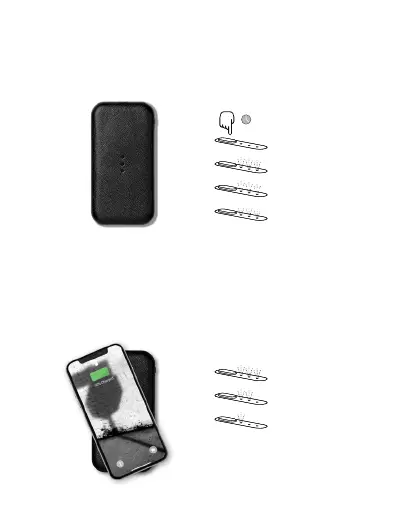
Power On
Press and hold the button for 1 second
to power on your CARRY.
Initial press indicates charge level
1s
Light flashes twice
Breathing light indicates searching
Charge Wirelessly
Place your wireless charging device
on the CARRY to charge.
Note: Improper alignment may impact connection.
You may also charge your device using a USB-C cable.
Constant light with corresponding charge indication
(Ex. 3 steady lights – charging with full battery)
Full battery
Medium battery
Low battery


 To Next Page