828019 REV B 08/2023
DW2450 and DW2450WS Service Manual
service.subzero.com 800.222.7820
Interior Component Removal and Installation
MIDDLE SPRAY ARMASSEMBLYREMOVAL
To remove the middle spray armassembly, first remove:
Middle rack
REMOVE THE MIDDLE SPRAY ARMASSEMBLY
Turn the middle rack upside down, and set it on a flat
surface.
At the middle spray armassembly's docking station
connection, pull down on the tab holding the middle
spray armassemblyto the rack.
Push the middle spray armassemblyback to
disengage the front clip.
Angle the middle spray armassemblydownward,
and remove it from the middle rack.
MIDDLE SPRAY ARMASSEMBLY INSTALLATION
CAUTION
When servicing, use caution and monitor the unit
for leaks before installing the unit into the product
opening.
After installing the middle spray arm assembly, install:
Middle rack
INSTALL THE MIDDLE SPRAY ARMASSEMBLY
Turn the middle rack upside down, and set it on a flat
surface.
Install the middle spray armassemblyinto the middle
rack back clip.
Flex the rack to engage the front and back clips.
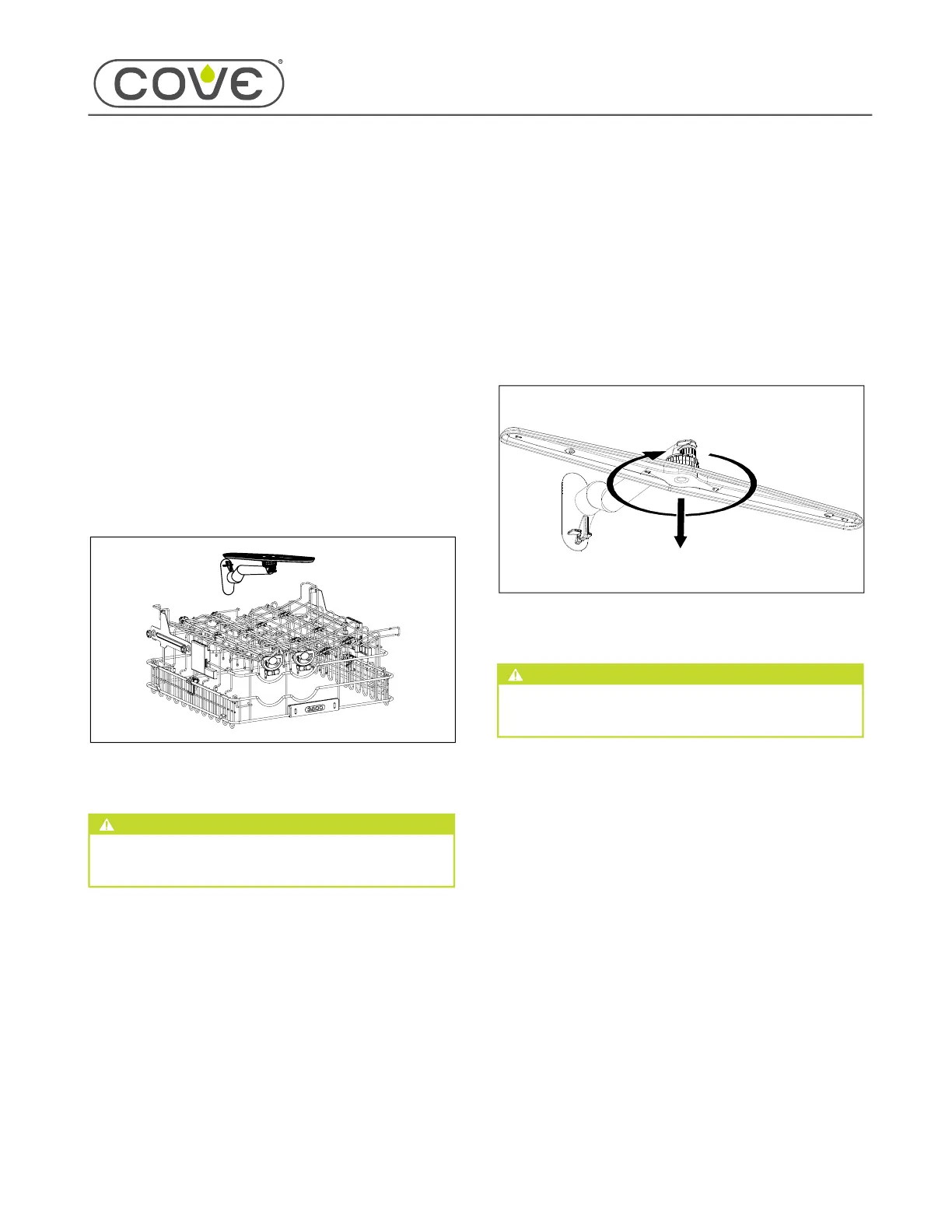
MIDDLE SPRAY ARM REMOVAL
REMOVE THE MIDDLE SPRAY ARM
While holding onto the middle spray arm coupler, turn
the middle spray arm clockwise (when seen from
below) to loosen it.
The middle spray arm is reverse-threaded.
Remove the middle spray arm from the coupler.
MIDDLE SPRAY ARM INSTALLATION
CAUTION
When servicing, use caution and monitor the unit
for leaks before installing the unit into the product
opening.
INSTALL THE MIDDLE SPRAY ARM
While holding the middle spray arm coupler in place,
install the middle spray arm onto the coupler by
turning it counterclockwise (as seen from below).
1
1
2
3
4
1
1
2
3
1
2
1
38


 To Next Page
 Loading...