828019 REV B 08/2023
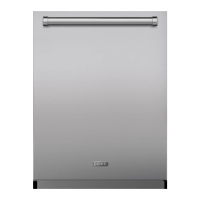
DW2450 and DW2450WS Service Manual
service.subzero.com 800.222.7820
Controls and Operation
SET USER OPTIONS
Touch Cancel twice.
Touch and hold Options for approximately 10
seconds until "User Set Up" appears on the display.
Touch Options multiple times to scroll to the desired
option.
Touch Enter to scroll or to select the desired setting.
Touch Cancel to exit user setup.
USER OPTIONS
OPTION DESCRIPTION
Language Select language.
Water Hardness Adjust water hardness setting.
Connect Turn connect on or off.*
Tone Level Adjust tone level.
Notification Turn end-of-cycle chime to off, low, or high.
If set to off, also disables the end-of-cycle
light.
Scroll Rate Adjust display scroll rate.
Display Contrast Adjust display contrast.
Display Brightness Adjust display brightness.
Floor Light Adjust status light brightness.
Rinse Aid Dosing Adjust amount of rinse aid dispensed.
Showroom Mode For showroom use only.
Reset All Restore factory settings.
*To connect to the Sub-Zero Group Owner's App, Connect
must be turned on.
USE THE "RESET ALL" FUNCTION
Touch and hold the Options key for 10 seconds to
enter the User Setup menu.
Touch the Options key multiple times to scroll to the
"Reset All" option.
Touch Enter to set and run the "Reset All" function.
The unit is restored to factory settings, and all error codes
are cleared.
1
2
3
4
5
1
2
3
7


 To Next Page
 Loading...