828019 REV B 08/2023
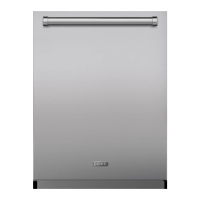
DW2450 and DW2450WS Service Manual
service.subzero.com 800.222.7820
Error Codes and Troubleshooting
PROBLEM POSSIBLE CAUSES SOLUTION/ACTION
Confirm that the dispenser door is not blocked. Make sure that pot handles etc.
are not extended outside the lower basket edge.
Verify the china guard (the small tine running along the bottom of the rack from
left to right) is not bent. Check the frame of the upper rack to verify it is not
bent.
Remove and install the upper and middle racks to verify proper positioning. If
the middle rack is not installed, water flow may be insufficient for dissolving the
detergent.
Water may not be hot enough to dissolve the detergent. Place a detergent
tablet in the bottom of the dishwasher and run a cycle. If the detergent
dissolves, place a tablet in the detergent dispenser and run hot water through
the sink faucet before turning the dishwasher on, and retest.
Check the dispenser assembly for damage. If a dispenser gasket is needed, it
is not available as a separate part. Replace the entire dispenser.
Unit does not heat water.
No hot water supplied
to the unit, or water
supply connected
incorrectly
Heater element failure
Temperature sensor(s)
failure
Control board/timer
failure
Incorrect mode/
temperature selection
Verify hot water is supplied to the unit. If the unit is a new installation, verify the
water supply lines are properly connected to the unit. Refer to the dishwasher
installation guide for further installation information.
Reset the unit at the circuit breaker, and run another cycle to see if the water
heats.
Check that the water inlet hose is connected to a hot water supply.
Disconnect power to the dishwasher.
Check water heater element and wire connections.
Check water temperature sensor(s).
Verify the front and rear thermal cutouts are not tripped.
Reconnect power to the washer. Place the dishwasher in Service mode, and
run diagnostics to confirm component and control board/timer operation.
Odor inside unit.
Clean the interior and filters.
Water above filters.
Clean the interior and filters.
Door does not close.
Reposition the racks, and check for dish interference.
White film on interior.
Clean the interior, and use less detergent.
Drain pump runs
continuously.
When the drain pump runs all the time, and the only way to shut it off is to turn the
main power switch off, verify the water is draining out. This may also sound like a
motor running constantly.
Verify the air gap is not blocked.
The drain pump is activated by the float switch. Verify no water has leaked into
the drain pan under the unit, tripping the float switch.
If there is no water in the dishwasher and the drain pump continues to run,
check the pressure switch.
Be sure that the wire connections are tight at both the pressure switch and
the connections at the timer and control board in the door.
3
4
5
6
7
•
•
•
•
•
1
2
3
4
5
6
7
8
1
1
1
1
1
2
3
1
91


 To Next Page
 Loading...