EasyManua.ls Logo

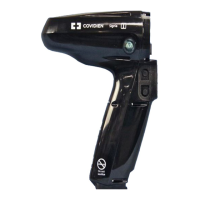
Covidien SIGNIA - User Manual

Covidien SIGNIA
27 pages
Print Icon
To Next Page IconTo Next Page
Loading...
SIGNIA
STAPLING
SYSTEM
Troubleshooting Guide
This guide is intended for Medtronic
sales force. It will help you to
troubleshoot situations that the
Signia
stapling system may encounter.
Question and Answer IconNeed help?

Do you have a question about the Covidien SIGNIA and is the answer not in the manual?

Summary

Signia Stapling System Troubleshooting Guide

Unable to Enter Fire Mode

User is unable to enter firing mode or begin firing. Blinking green LED indicator may be present.

Powered Handle Will Not Turn On

Handle does not power on when removed from a charger. Check LED status and charging connections.

Nonfunctional Rotation

User depresses rotation buttons but no rotation occurs. Verify rotation button status and shell latch.

Difficulty Operating Toggle Controls

User experiences difficulty operating front toggle controls. Explore different push and pull techniques.

Difficulty Loading or Unloading Reload

User experiences difficulty loading or unloading reloads. Check alignment, recalibrate adapter, or use unload button.

Difficulty Retracting Reload

User is experiencing difficulty retracting a reload off of media. Try powered opening or manual retraction tool.

Red LED on Charger

Front LED indication displays red while charging the Signia™ power handle. Check seating, pins, and contacts.

Graphic: Water Drop

A water drop graphic is present on screen, indicating moisture interference. Reload can be fired.

Graphic: Battery Level

Battery graphic not displaying green. Yellow means low capacity, red means insufficient battery, disabling firing.

Graphic: Usage Counters

A segment displays a zero uses counter, indicating end of life or system error. Replace the relevant component.

Graphic: Excessive Force

System stopped during clamp or firing due to excessive force. Check obstructions, compress tissue, or try larger reload.

Graphic: Reload Cycle Test

System displays clamp test graphic. Reload must be fully clamped and unclamped for recognition.

Graphic: Battery Error

System displays a battery error graphic. No troubleshooting actions available; return handle for service.

Graphic: End of Life Service

System displays end of life service graphic. Useful life of power handle is exhausted; return for disposal.

Graphic: Power Handle Error

System displays a handle error graphic and will not function. Document conditions and return handle.

Graphic: Handle Error While Assembled

System displays a general error graphic while assembled and will not function. Document and return handle.

Graphic: Power Shell Error

System displays a power shell error. Document conditions and return power shell, include adapter serial.

Graphic: Linear Adapter Error

Connected linear adapter causes a general adapter error. Document and return adapter, include handle serial.

Graphic: General Reload Error

System displays general reload error with Tri-Staple™ 2.0 reloads. Attach new reload, return reload/adapter if issues persist.

Graphic: Loading Unit Error

System displays a general reload error graphic. Attach new loading unit, return unit/cartridge/adapter if issues persist.

Graphic: General Cartridge Error

System displays general reload error with Tri-Staple™ 2.0 cartridge. Attach new cartridge, return loading unit/cartridge.

General Notes

Refer to package inserts and user manual for indications, warnings, precautions, and other medical information.

Summary

Signia Stapling System Troubleshooting Guide

Unable to Enter Fire Mode

User is unable to enter firing mode or begin firing. Blinking green LED indicator may be present.

Powered Handle Will Not Turn On

Handle does not power on when removed from a charger. Check LED status and charging connections.

Nonfunctional Rotation

User depresses rotation buttons but no rotation occurs. Verify rotation button status and shell latch.

Difficulty Operating Toggle Controls

User experiences difficulty operating front toggle controls. Explore different push and pull techniques.

Difficulty Loading or Unloading Reload

User experiences difficulty loading or unloading reloads. Check alignment, recalibrate adapter, or use unload button.

Difficulty Retracting Reload

User is experiencing difficulty retracting a reload off of media. Try powered opening or manual retraction tool.

Red LED on Charger

Front LED indication displays red while charging the Signia™ power handle. Check seating, pins, and contacts.

Graphic: Water Drop

A water drop graphic is present on screen, indicating moisture interference. Reload can be fired.

Graphic: Battery Level

Battery graphic not displaying green. Yellow means low capacity, red means insufficient battery, disabling firing.

Graphic: Usage Counters

A segment displays a zero uses counter, indicating end of life or system error. Replace the relevant component.

Graphic: Excessive Force

System stopped during clamp or firing due to excessive force. Check obstructions, compress tissue, or try larger reload.

Graphic: Reload Cycle Test

System displays clamp test graphic. Reload must be fully clamped and unclamped for recognition.

Graphic: Battery Error

System displays a battery error graphic. No troubleshooting actions available; return handle for service.

Graphic: End of Life Service

System displays end of life service graphic. Useful life of power handle is exhausted; return for disposal.

Graphic: Power Handle Error

System displays a handle error graphic and will not function. Document conditions and return handle.

Graphic: Handle Error While Assembled

System displays a general error graphic while assembled and will not function. Document and return handle.

Graphic: Power Shell Error

System displays a power shell error. Document conditions and return power shell, include adapter serial.

Graphic: Linear Adapter Error

Connected linear adapter causes a general adapter error. Document and return adapter, include handle serial.

Graphic: General Reload Error

System displays general reload error with Tri-Staple™ 2.0 reloads. Attach new reload, return reload/adapter if issues persist.

Graphic: Loading Unit Error

System displays a general reload error graphic. Attach new loading unit, return unit/cartridge/adapter if issues persist.

Graphic: General Cartridge Error

System displays general reload error with Tri-Staple™ 2.0 cartridge. Attach new cartridge, return loading unit/cartridge.

General Notes

Refer to package inserts and user manual for indications, warnings, precautions, and other medical information.

Covidien SIGNIA Specifications

General IconGeneral
BrandCovidien
ModelSIGNIA
CategoryStaple Gun
LanguageEnglish

Related product manuals