
 Need help?
Do you have a question about the Covidien VNUS RFG2 and is the answer not in the manual?
Outlines essential guidelines for safe operation of the RF Generator and RF energy delivery.
Details specific warnings and cautions related to performing RF Treatment procedures.
Explains the meaning of symbols, visual indicators, and audible tones used by the RF Generator.
Explains the display areas and information presented on the LCD screen for ClosureFAST.
Provides instructions for connecting and turning on the RF Generator using AC power.
Explains the procedure for connecting a VNUS RF Device to the RF Generator.
Explains the Error Mode, which activates upon encountering unrecoverable errors.
Explains the types of error codes displayed by the RF Generator and how to handle them.
Lists common difficulties encountered during RF Treatment and their corrective actions.
The VNUS RF Generator, model RFG2, is a medical device designed for radiofrequency (RF) energy delivery to compatible VNUS RF Devices, such as catheters, for vessel and tissue coagulation. It measures and displays RF output Power, load Impedance (for ClosureRFS only), and elapsed RF delivery time. The generator also interfaces with a sensor in the Device to continuously display measured Temperature during RF delivery.
The RF Generator is classified as an electrosurgical product and is intended for prescription use only by trained clinicians in a hospital or clinical environment. It is crucial to read, understand, and follow all safety guidelines to ensure a safe environment and effective RF energy delivery. Failure to adhere to these guidelines may result in damage to the RF Generator and/or injury to the patient. The device contains no operator-serviceable parts and must be returned to the factory or repaired by qualified service personnel for service.
Before operation, users must ensure the AC Power cord is undamaged and inspect all cords and cables regularly for wear. The device should not be used with 3-to-2 prong grounding adapters, and a 240V system in the U.S. requires an AC Power center-tap configuration. It must not be operated in contact with flammable materials, chemicals, or substances, and should be protected from extreme moisture. The RF Generator's vent opening, located at the bottom, must not be obstructed, and the speaker opening should not be covered to ensure auditory tones are detectable. Removing the cover can result in electrical shock. A failure of the RF Generator could lead to an unwanted increase in RF Power. The device produces high voltages on the Device.
Prior to RF Treatment, users must review the Device's Instructions for Use and confirm the connected Device matches the Device ID displayed. The RF Generator should only be used with VNUS ClosureFAST or ClosureRFS Devices; using Devices from other manufacturers may increase emissions or decrease immunity. Contact between cords, cables, patient, leads, or other equipment should be avoided. Wrapping the Device cable around metal objects can induce hazardous currents into the patient. Users should be aware of potential interference with pacemakers and other active implants. To prevent patient injury, measured Temperature, Impedance (not displayed for ClosureFAST), and RF Power must be within safe ranges. Patients should not come into direct contact with grounded metal objects during procedures. Activated RF Generator's electrical fields may interfere with other medical equipment; refer to the "Electromagnetic Interference (EMI)" section. RF Power should not be activated until the Device is properly positioned in the patient. RF Power activation tones and lights are critical safety features and should not be obstructed or disabled.
The RF Generator should be stored at temperatures between -20°C and 70°C and non-condensing relative humidity ≤ 90%. It should not be stacked, and the AC Power outlet and cord wrap area should be clear. The unit should not be lifted by the AC Power cord. Broken LCD screens contain liquid crystals, which are toxic if ingested; handle with care and seek medical attention if accidentally ingested. For operation, temperatures should be between 10°C and 40°C with relative humidity (non-condensing) between 0% and 90%. If the RF Generator is moved from storage to a new environment, allow it to fully acclimate to the new environmental conditions before turning it on.
Upon receiving, unpack and inspect the following: RF Generator without physical damage to the front or back panels, cover, or screen; approved hospital-grade AC Power cord without cracks, frays, or any visible cord or plug damage; and CD-ROM containing the Operator's Manual and Service Manual. Damaged items must be repacked and returned to VNUS Customer Service Department.
The RF Generator must be installed and put into service according to the guidance provided in this document and should only be used with a Hospital Grade power cord. It can be placed on any stable cart, table, or platform that can hold at least 11.5 kg (25 lbs). Allow at least 10 to 15 cm (4-6 in.) of space around the sides and top for air circulation and cooling. Do not block vent openings. The RF Generator should not be used adjacent to other equipment, and if adjacent or stacked use is necessary, the RF Generator should be observed to verify normal operation.
The RF Generator measures 38 cm x 19 cm x 15 cm (15 in. x 7.5 in. x 6 in.) and weighs 9 kg (20 lbs).
The RF Generator is a Class I RF Generator designed to work with Type CF, Defibrillator-Proof RF Devices. It is designed to withstand the application of an external defibrillator while the RF Device is in use.
The RF Generator includes visual indicators for AC Power (on) and RF Power status (changing color and illumination).
The RF Generator has several audible indicators:
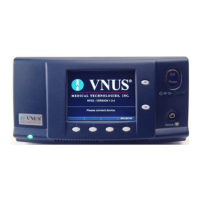
The front panel includes an AC Power Indicator, LCD Screen, Increment/UP and Decrement/DOWN Buttons, RF Power Button and Indicator, Vent Slots, Soft Key Menu Buttons, and a Delivery Device Receptacle.
The rear panel features a Handle on each side, AC Power Cord Wrap, Fuse Holder, AC Power Switch, AC Power Inlet, Equipotential Grounding Lug, MMC Service Slot, and Vent Openings.
The LCD screen consists of three areas: Data Display area, Operator Message area, and Soft Key Menu area.
Similar to ClosureFAST, but also displays Device Impedance.
To ensure safe RF delivery, familiarity with the RF Generator's operation, settings, and display interpretation is essential.
Starts when a Device is attached. The Data Display area shows current parameters. For ClosureFAST, violating Functional Limits results in an advisory message, preventing RF Treatment. For ClosureRFS, Measure, Saline Test, and Body Test modes use a small amount of RF energy (2.3 mWRMS) to measure Impedance at the Device tip. This power is insufficient to cause tissue heating, but operators should be alert for interference to nearby equipment.
Review "General Safety Guidelines" before starting. Confirm the connected Device matches the Device ID.
During RF Delivery, press STOP RF or the Device handle button. RF Treatment halts automatically if: time set has elapsed, a Functional Limit is violated, an error is detected, or the Device is disconnected. If treatment does not halt automatically, disconnect the Device.
Correct any alarm condition before restarting. If a Device is unplugged and reconnected, the unit prompts to retain or discard the Timer Value. If the unit was turned off, a new Timer Value starts at 0:00. Total Treatment Time displays in the Operator Message area after RF Power halts.
MMCs store data from procedures, log generator errors, and perform software updates. Use VNUS part number MMC.
The RF Generator monitors Device parameters (Temperature, Impedance, RF Power) within Functional Limits, which must be met before RF Treatment can start. Advisory Limits are within Functional Limits. Operation below these values may cause inaccurate results, and the RF Generator will not allow treatment if measurements persist outside of limits. Limits can be affected by Set Points defined in the Device Setup menu.
The RF Generator has several operating modes, requiring attention to the Data Display and Operator Message areas during Body Test, Saline Test, Measure, and RF Treatment modes. Failure in any mode results in the RF Generator not starting or automatically halting RF Treatment.
Displays error messages for unrecoverable errors. Active if an unexpected internal error or POST fails. RF Treatment halts, and an entry is logged. For non-recoverable errors, turn off, wait, and turn on the unit. If errors persist, contact Customer Service.
Provides settings for the RF Generator.
Provides settings for the connected Device. Settings differ by Device.
The RF Generator might cause interference with other equipment during RF Treatment or low power measurement modes. If interference occurs, move the RF Generator and its cords/cables away from susceptible equipment. The RF Generator is susceptible to EMI from other equipment, which could result in inaccurate RF Power delivery, patient injury, or unit restart. Possible sources include cellular phones, radio transmitters, motors, telephones, lamps, electrosurgical products, and defibrillators. Restrict use of such equipment near the RF Generator.

 To Next Page
 General