EasyManua.ls Logo

Coway AP-1008CH - User Manual

Coway AP-1008CH
112 pages
Print Icon
To Next Page IconTo Next Page
Loading...
This paper can be recycled.
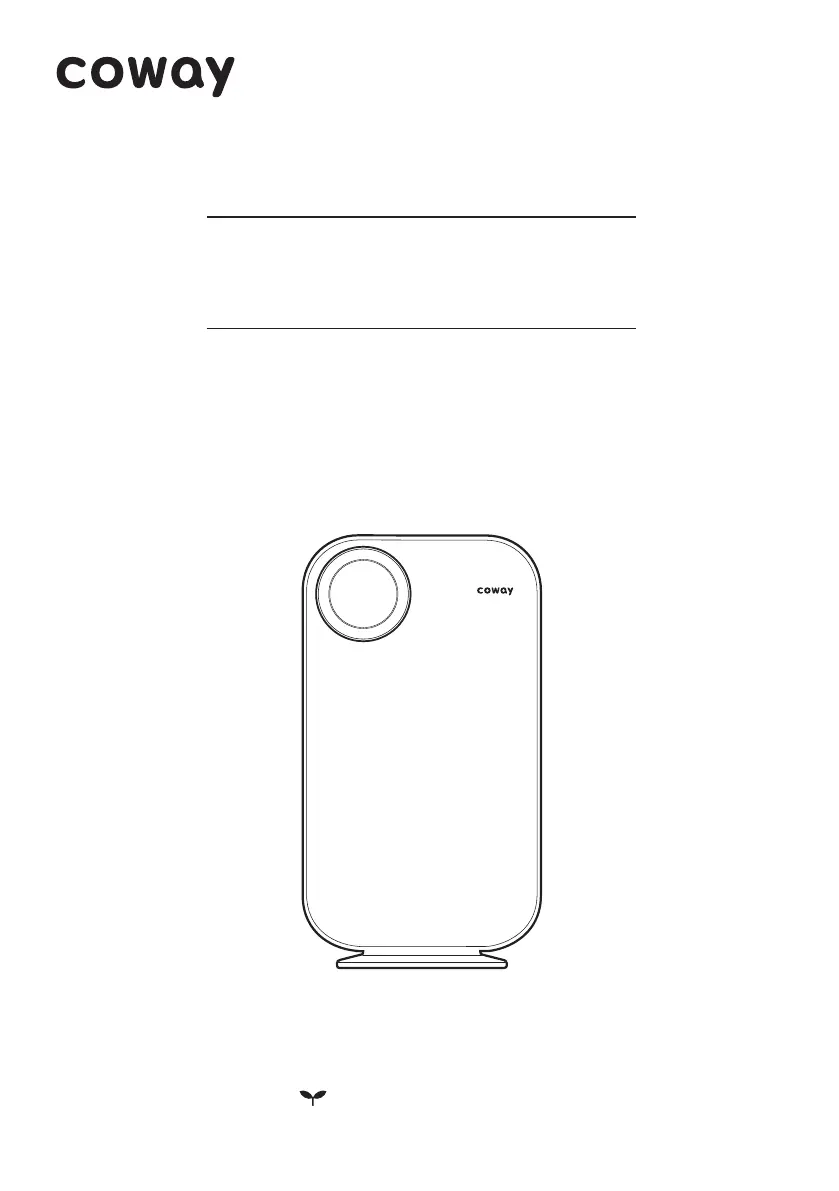
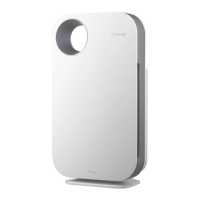
Coway Air Purifier

This product is for domestic market only. Product voltage does not work overseas.
For your safety and proper use of the product, please read this user manual before use.
Warranty card is included in this user manual.
English / Swedish / Danish / Norwegian / Finnish

Questions and Answers

  • A
    Amanda GardnerJul 26, 2025
    What to do if my Coway AP-1008CH is not blowing air?
    • G
      Gary AndersonJul 26, 2025
      First, ensure the power cord is connected to a 120 V~ 60 Hz outlet. Then, press the power button and select your desired function. If there was a power outage, the air purifier should resume functioning when the power is restored. Also, if the pollution level remains at level 1 for 10 minutes continuously, the unit will enter power saving mode and the fan will turn off automatically.
  • L
    lindaclarkeAug 1, 2025
    Why does my Coway AP-1008CH have a bad smell?
    • J
      Jeffrey SmithAug 2, 2025
      A bad smell coming from your Coway Air Cleaner usually indicates that the filters need attention. Check the filter cleaning and replacement cycles and then clean or replace the filters as necessary.
  • R
    Ryan LyonsAug 7, 2025
    Why is the airflow speed significantly weaker than before in my Coway AP-1008CH?
    • C
      Colleen BlackAug 7, 2025
      A significantly weaker airflow speed in your Coway Air Cleaner is often due to dirty filters. Please check the filter cleaning and replacement cycles and then clean or replace the filters if necessary.
  • M
    Megan HoffmanAug 13, 2025
    Why the color of the pollution level indicator always stays the same on my Coway AP-1008CH?
    • A
      Anthony BoyerAug 13, 2025
      If the pollution level indicator on your Coway Air Cleaner always stays the same color, try cleaning the lens of the pollution sensor. You can also adjust the sensitivity of the pollution sensor to either 'Insensitive' or 'Standard', or to 'Sensitive' or 'Standard'.
  • P
    Pamela WilliamsAug 20, 2025
    How to adjust the airflow speed on my Coway AP-1008CH?
    • S
      Stephanie BellAug 20, 2025
      To adjust the airflow speed on your Coway Air Cleaner, first set the desired operating mode. Note that when the air purifier is in sleep mode, the airflow speed is fixed to the minimum level.

Summary

FEATURES

A3 medium filter

Describes the A3™ medium filter's features and cleaning.

Pollution level indicator; mood lamp

Explains the function of the pollution level indicator.

Power saving mode

Details the power saving mode for electricity efficiency.

Slim design

Highlights the product's compact and aesthetic design.

SAFETY INFORMATION

DANGER: Critical Electrical Safety

Critical safety warnings about electrical hazards and product handling.

Electrical Safety Precautions

Guidelines for safe use of the power plug and outlet.

Environmental and Usage Precautions

Warnings about installation environment and product misuse.

Child Safety and Usage Restrictions

Guidelines for safe use by children and adults with reduced capabilities.

Installation and Operational Guidelines

Proper placement and usage to ensure optimal performance and safety.

PARTS NAME

Front and Back Components

Identifies external components of the air purifier.

Other Included Items

Lists other included items like the user manual.

AIR PURIFICATION PROCESS

Pre-filter Functionality

Explains the role and function of the pre-filter.

A3 Medium Filter Details

Details the A3™ medium filter's capabilities and maintenance.

HEPA Filter Performance

Describes the HEPA filter's effectiveness in removing fine particles.

PREPARATIONS

Pre-Use Checks

Important pre-operation checks, including voltage compatibility.

Filter Installation Guide

Step-by-step instructions for filter installation.

OPERATION AND INDICATION

Indication Part Overview

Explains the functions of the light sensor and speed indicators.

Operation Part Overview

Details the functions of the power, auto mode, mood, silent, and speed buttons.

Pollution Level Indicator Colors

Explains the meaning of different color indicators for room cleanliness.

HOW TO USE

Manual Mode Operation

Instructions for using the air purifier in manual mode.

Auto Mode Selection

Steps to activate and use the automatic operation mode.

Auto Mode Functionality

Details how auto mode adjusts fan speeds based on pollution levels.

Silent Mode Operation

Guide to using the silent mode for quiet operation.

Sleep Mode Operation

Instructions for activating sleep mode during auto operation.

ADJUST PARTICLE SENSOR

Adjusting Pollution Sensor Sensitivity

Step-by-step guide to adjusting the pollution sensor's sensitivity.

HOW TO CLEAN

Cleaning the Pollution Sensor

Instructions for cleaning the pollution sensor unit.

Cleaning Air Inlet and Outlet

Guide to cleaning the air inlet and outlet vents.

Cleaning the Front Cover

Steps for cleaning the removable front cover.

Cleaning the Product Body

Method for cleaning the main body of the air purifier.

CLEANING METHOD

Pre-filter Cleaning

Instructions for cleaning the reusable pre-filter.

A3 Medium Filter Cleaning

Guidance on cleaning the A3™ medium filter.

FILTER REPLACEMENT

Filter Replacement Procedure

General guidance on replacing filters correctly.

Filter Cleaning and Replacement Cycles

Table detailing cleaning and replacement schedules for filters.

Filter Replacement Indicator

Explains the indicator lights for filter replacement.

Filter Replacement Steps

Practical steps for replacing the filters.

TROUBLESHOOTING

No Air is Blowing Troubleshooting

Addresses issues related to the unit not blowing air.

Airflow Speed Issues

Solutions for problems with airflow speed not changing or being weak.

Bad Smell and Sensor Issues

Troubleshooting for bad smells and pollution indicator problems.

Other Functional Problems

Guidance for resolving general functional issues.

SPECIFICATION

Product Specifications Overview

Lists key technical details of the air purifier.

WARRANTY CARD AND LETTER

What This Warranty Covers

Details what the limited warranty includes and for how long.

What This Warranty Does Not Cover

Outlines exclusions from the product warranty.

Limitations and Exclusions

Legal disclaimers and limitations on warranties and liability.

WARRANTY CONDITIONS AND SERVICE

Conditions of Warranty

Lists conditions the owner must meet for warranty coverage.

Obtaining Warranty Service

Instructions on how to get warranty service and owner responsibilities.

Waiver and Disclaimer

Legal note on waivers and disclaimers.

Coway AP-1008CH Specifications

General IconGeneral
BrandCoway
ModelAP-1008CH
CategoryAir Cleaner
LanguageEnglish

Related product manuals