
 Need help?
Do you have a question about the Cowon X9 and is the answer not in the manual?
General information about COWON, copyright, and website registration details.
Information regarding BBE Sound Inc. license, trademarks, and product compliance.
Safety precautions for correct product usage, user safety, and handling guidelines.
Lists and illustrates the items included in the COWON X9 product package.
Identifies and labels the physical parts, buttons, and ports of the COWON X9.
Explains how to operate the device's buttons for power, hold, and other functions.
Details the methods and time required to charge the device's battery.
Instructions for connecting the device to a PC and transferring files.
Step-by-step guide for downloading and installing firmware updates.
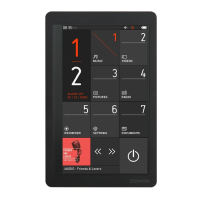
Explains the two-page layout of the device's main screen and its features.
How to access frequently used functions from the main display using widgets.
Overview of the device's main menu options and their associated functions.
Details various settings for JetEffect 5, Display, Time, Music, Video, Recording, and System.
Technical specifications covering capacity, dimensions, battery, audio, and video formats.
Directs users to the COWON website for FAQs and further product support.
Solves issues with powering on the device or unresponsive controls and buttons.
Addresses audio/video playback issues, file list display, and album art.
Troubleshoots PC connection, device recognition, and FM radio functionality.
Addresses noise in recordings and corrupted display characters.
Explains memory capacity differences and low memory operation requirements.
 General
| Player media type | Flash memory |
|---|---|
| Video memory capacity | - h |
| Card reader integrated | Yes |
| Total storage capacity | 8 GB |
| Compatible memory cards | MicroSD (TransFlash) |
| Music memory capacity (songs) | - |
| Display diagonal | 4.3 \ |
| Touch technology | Multi-touch |
| Display resolution | 480 x 272 pixels |
| Display number of colors | 16.78 million colors |
| Audio formats supported | APE, FLAC, MP2, MP3, OGG, WAV, WMA |
| Image formats supported | JPG |
| Video formats supported | ASF, AVI, WMV |
| Document formats supported | TXT |
| Subtitle formats supported | smi |
| Headphone connectivity | 3.5 mm |
| RMS rated power | 0.5 W |
| Equalizer bands quantity | 5 |
| Signal-to-Noise Ratio (SNR) | 95 dB |
| FM band range | 87.5 - 108 MHz |
| Supported radio bands | FM |
| Interface | USB 2.0 |
| Wi-Fi | No |
| Type | MP4 player |
| Product color | Black |
| Volume control | Digital |
| Battery recharge time | 4.5 h |
| Continuous audio playback time | 110 h |
| Continuous video playback time | 13 h |
| Minimum processor | Pentium III |
| Minimum processor speed | 500 MHz |
 Weight and Dimensions
| Depth | 12.2 mm |
|---|---|
| Width | 72.5 mm |
| Height | 114.9 mm |
| Weight | 159 g |

 To Next Page
