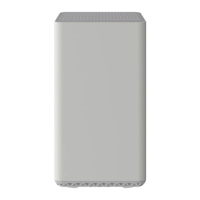
Back View
Click to enlarge.
The Netgear 3000 has the following ports available on the back of the modem.
RESET – Use this button in the unlikely event that you want to restore the default
factory settings. This button is recessed to prevent accidental resets of your WiFi
modem. See Netgear’s support article for steps on how to reset your device to
factory settings.
USB – Connects to selected client devices
ETHERNET – Provides internet access to a single device. Only one port is active at
a time.
CABLE – Connects to the cable wall outlet
POWER – Connects the device to the power adapter
POWER ON / OFF – Turns the device on and off
MAC Address
Click to enlarge.
The Netgear C3000 comes configured with wireless security. By default, the Netgear
home networking gateway supports up to 802.11n wireless standards and uses WPA /
WPA2 wireless security settings.
The SSID and Passphrase are printed on the label on the gateway.
The SSID on the gateway is the same as the last 6 characters of the Wireless MAC
address.
The Passphrase is the same as the 9-digit serial number of the home networking
gateway.
MAC addresses are written as 12 digits containing both letters and numbers (0-9, A-
F). A MAC address is unique. The first six characters of the MAC address are unique
to the manufacturer of the device.
Troubleshooting
The lights indicate the current status of your gateway. To troubleshoot any connection problems, use the table below.
Modem Light Status Problem
WPS
Blinking
Green
None
This button lets you use WPS to join the WiFi network without typing the WiFi
password.
The WPS LED blinks during this process and then lights solid.
WiFi ON /
Off WiFi disabled – Pressing this button for two seconds turns the WiFi radio on and off.



 To Next Page