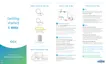
Quick start instructions
Next, grab your smartphone, tablet, or computer and open the
wifi settings. Select one of the two Network Names (SSID) that are
shown on the label on the bottom of your Panoramic Wifi Gateway.
Using the Preshared Key provided on that same label, connect to the
network. Once your device is connected, you’re good to go. Now let’s
connect all of your other devices to that same network.
A
B C
Personalize your wifi experience
Plug in your Panoramic Wifi Gateway
Connect to your Panoramic Wifi Gateway
We recommend you create a unique network name and password
because it’ll be easier to remember when connecting other devices,
and more secure since it’s personalized.
The Cox Panoramic Wifi app can help you with this, just download it
on your mobile device and sign in with your Cox login. The app will
help you get the most out of your wifi experience by giving you a
new level of customization and control at your fi ngertips.
For quick how-to videos, go to Cox.com/wifi support.
Check out the enclosed troubleshooting tips and
FAQs card for more information.
smartphone / tablet/ computer / laptop
Before you get started, we recommend you use the new cables
included in your kit.
First, screw one end of the coax cable into an active cable outlet
(try the same outlet where your previous Cox device was connected)
and the other end into the coax port on the back of your
Panoramic Wifi Gateway.
Then, plug the power cord into an electrical outlet and the other
end into the power port on the back of your Panoramic Wifi Gateway.
Now that it’s plugged in and powering on, wait about 10 minutes for it
to fully boot up before continuing to step B.
1
2
1
2
We’re
here to
help
WEB: Cox.com/wifi support
and Cox.com/learn
CALL: 1–888–556–1193CHAT: text an agent at 54512
or live chat on Cox.com/chat
APP: Cox Connect
for 24/7 support
FPO BARCODE
520 - 4267-19 - 08



 To Next Page
 Loading...