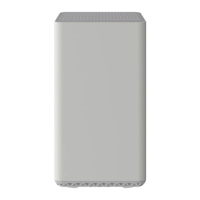
Modem
Light
Status Problem
DS
Blinking
Establishing a connection from the Internet to the computer. Verify all cable connections and try
resetting the modem.
Solid None. Connection from the computer to the internet established.
US
Off
Establishing a connection from the computer to the internet. Verify all cable connections and try
resetting the modem.
Solid None
STATUS
Blinking
Establishing a connection to the cable provider. Verify all cable connections and try resetting
the modem.
Solid None – modem connection established
LINK
Blinking None. Data is flowing between the computer and the internet
Solid None. Modem is connected to LAN device, like computer or router.
Related Manuals
1. Zoom 5241 Details Modem Information Cable Modem DOCSIS 2.0...
2. Zoom 5370 Details Modem Information DOCSIS 3.0 Cable Modem...
3. Zoom 5354 Details Modem Information DOCSIS 3.0 Single Band WiFi Modem 8×4...
4. ZOOM iQ6 Operation Manual ZOOM iQ6 Operation Manual © 2014 ZOOM CORPORATION Copying or...
5. Panasonic Zoom Lens Instruction Manual Instruction Manual Panasonic Zoom Lens Thank you for purchasing this...
6. logitech Zoom Rooms User Guide Logitech Zoom Rooms QUICK REFERENCE CARD FOR ZOOM ROOMS JOIN A...



 To Previous Page