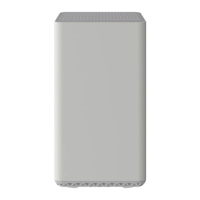
Front View
Click to enlarge.
The Zoom 5350 is a DOCSIS 3.0 device offering 8 x 4 channel bonding.
Allow 5 to 30 minutes to power up the first time because the cable modem / router
must locate and connect to the appropriate channels for communication. The DS
(downstream), US (upstream), or Online modem lights flash until the Online light
stays steady green to signal success.
Back View
Click to enlarge.
The Zoom 5350 has the following ports available on the back of the cable modem / router.
GE 1-4 (Gigabit Ethernet 1-4 also known as LAN 1-4) – Four 10/100/1000 auto-
sensing RJ-45 ports. Connect devices on your LAN (Local Area Network) such as a
computer, hub or switch to these ports. Only one port is active at a time.
USB – Connect to the USB port on your computer.
RESET – Use this button in the unlikely event that you want to restore the default
factory settings. This button is recessed to prevent accidental resets of your cable
modem/router.
CABLE – Connect your coaxial cable line to this port.
AC IN – Connect the supplied power cord to this port.
MAC Address
Click to enlarge.
MAC addresses are written as 12 digits containing both letters and numbers (0-9, A-F). A
MAC address is unique. The first six characters of the MAC address are unique to the
manufacturer of the device.
Troubleshooting



 To Next Page