Troubleshooting
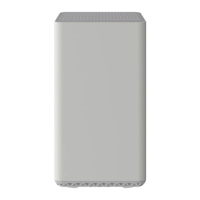
The modem lights indicate the current status of your cable modem / router. To troubleshoot any connection problems,
use the table below.
Modem Light Status Problem
Power
Off No power – Verify all cable connections and try resetting the modem.
Solid Green None
DS
(Downstream)
Blinking
Green
Scanning for downstream channel – Verify all cable connections and try resetting the
modem.
Solid Green None – connection established on one channel
Solid Blue None – operating on more than one channel (downstream bond mode)
US
(Upstream)
Off
Upstream channel is inactive – Verify all cable connections and try resetting the
modem.
Blinking
Green
Scanning for upstream channel – Verify all cable connections and try resetting the
modem.
Solid Green None – connection established on one channel
Solid Blue None – operating on more than one channel (upstream bond mode)
ONLINE
Off No connection – Verify all cable connections and try resetting the modem.
Solid Green None – modem is operational
LINK 1 – 4
Off No Ethernet link detected
Blinking
Green
None – data is flowing
Blinking
Amber
None – data is flowing
Solid Green None – connected to 10 or 100 Mbps
Solid Amber None. – connected at 10 or 100 Mbps
WPS
Off No WiFi client associated with the cable modem via WPS – Enable WiFi.
Blinking
Green
None – WPS is in discovery mode, (LED blinks for up to 2 minutes)
Solid Green None – WPS configuration is successful
WLAN
Off WiFi disabled – Enable WiFi.
Blinking
Green
Data flowing
Solid Green None – WiFi is enabled
Manufacturer Resources
For more detailed technical information on the Zoom 5350, use the resources below.
Zoom 5350 Quick Start (PDF)
Zoom_5350_User_Manual [PDF]


 To Next Page
 Loading...