back video、recording and photos(During the video recording, short press can also be
played back);
Insert SIM, can be transmitted in real time
Data transmission and charging
ON state,short press can restart;
ON state,long press for 10 seconds,restore factory settings
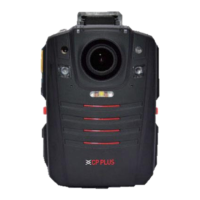
2.2 Indicator lamp description
Red lamp
The charging indicator lamp is on when charging, and the charging indicator lamp flashes
when it is fully charged.
1. The lamp turns green when the device is in standby mode, not recording videos and
audios, and not taking photos.
2. The lamp turns red when users are recording videos and taking photos.
3. The lamp turns yellow when users are recording audios.
4. The lamp turns flashing green when the battery is low.
Under standby mode, users can enable or disable the laser lamp by pressing the “Laser
Lamp” button momentarily. Laser lamp allows users to do positioning recording.
The lamp evaluates how much light is in the surroundings. When it goes dark, the lamp will
enable infrared laps, and vice versa.
There is one infrared lamp on both sides of the device. The lamps will work when there is
low light, and the video will turn to black and white.
When the device is open, long press “Camera” button to enable/disable white lamp. Users
can replace floodlights and fill lights with the white lamp.
2.3 Interface Icon Description
When you record the video, press menu button long enough to mark the video as a key
document.
When GPS is on, this icon represents that the device has received GPS signal and
positioned successfully.
When 4G is on, this icon represents that the device has received 4G signal and shows
signal strength, with level four as the strongest level.
When WIFI is on, this icon represents that the device has connected to WIFI successfully
and shows signal strength, with level three as the strongest level.
When WIFI AP is on, this icon represents the device successfully becomes a WIFI hotspot
which external devices can connect to.
It shows how much battery is remaining. When it turns to flashing red, the device is about

 To Next Page
 Loading...