
 Need help?
Do you have a question about the CPVan SM11R and is the answer not in the manual?
Guidance on optimal placement for smoke alarms within a home, considering various room layouts.
Identifies areas unsuitable for smoke alarm installation due to environmental factors like humidity or dust.
Step-by-step guide for physically attaching the smoke alarm device to a ceiling or wall.
Instructions for verifying the smoke alarm's functionality through a manual test procedure.
Explanation of the different LED light patterns and their meanings, indicating alarm status.
Details on how to temporarily silence an alarming smoke detector, often used for nuisance alarms.
Procedure for wirelessly connecting multiple smoke alarms to work in unison.
Steps to turn off the wireless linking feature between smoke alarms.
Method to pause all interconnected alarms from a master unit during an event.
Routine procedures for cleaning and maintaining the smoke alarm to ensure optimal performance.
Guidance on selecting and replacing the battery for the smoke alarm device.
Common problems with the smoke alarm and their solutions, including LED and sound indicators.
This document describes an Interlinked Smoke Detector, model SM11R/02-2021/V01, designed for wireless interlinked smoke alarm systems. It provides quick reference information, installation instructions, usage guidelines, and maintenance procedures.
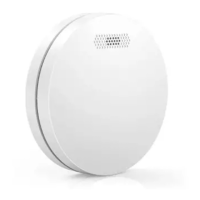
The Interlinked Smoke Detector is a photoelectric smoke alarm designed to detect smoke and alert occupants. Its key feature is interlinking, allowing multiple alarms to communicate wirelessly via radio-frequency signals. If one smoke alarm detects fire, all interlinked alarms will sound, providing a comprehensive warning system. This device is battery-operated, eliminating the need for wiring in an interlinked setup. It includes a silence mode to temporarily pause the alarm for approximately 10 minutes in cases of known, non-emergency smoke (e.g., from cooking).
Installation: The device comes with a mounting bracket and screw kit. Installation involves twisting off the bracket, marking screw holes, drilling 5mm holes, inserting plastic anchor plugs, screwing the bracket to the ceiling or wall, and then attaching the alarm by turning it clockwise to lock. Recommended installation locations include bedrooms, walkways, above stairways, and on every floor. For slanting walls or ceilings, install at least 500mm away from the highest point. If installed on a wall, keep it 100mm away from the ceiling. If not in the middle of the ceiling, keep it 300mm away from corners. For rooms longer than 30 feet, multiple alarms are recommended. Locations to avoid include high-humidity areas (kitchens, bathrooms), near air outlets, fans, central heating, dusty/dirty areas, high-temperature/polluted places, areas with difficult access for testing, within 1.5m of lamps, near doors/windows, and corners of rooms with sloping roofs or other dead-air spaces.
Testing: The alarm should be tested weekly by pressing the cover. A sound indicates proper operation. Do not use an open flame for testing, as this can damage the alarm or ignite combustible materials. When testing, do not stand too close to the alarm to avoid potential hearing damage.
LED Indicators:
Silence Mode: When the alarm is sounding due to a known, non-emergency condition (e.g., cooking smoke), pressing the test button will pause the alarm for approximately 10 minutes. The red LED will flash once every 8 seconds during this mode. The alarm will automatically reset after 10 minutes; if combustion particles are still present, it will sound again. Before using silence mode, identify the smoke source and ensure a safe condition exists.
Interlinked Network Creation:
Disabling Interconnect Function: Press the test/silence button on the smoke alarms twice. The green LED will slowly flash continuously for 60 seconds. Ignoring it will lead to automatic disassociation.
Silencing Alarms in a Network: If the Source/Master smoke alarm detects fire, it will sound its specific pattern. Other alarms receiving the signal will sound the Slave smoke alarm pattern. To pause all other interconnected alarms, press the Test/Silence button on the Source/Master alarm.
General Maintenance and Cleaning:
Battery Replacement:
Troubleshooting:
Warranty Information: The device comes with a 2-year warranty from the date of purchase, covering defects in material and workmanship under normal use. Defective units will be repaired or replaced at the retailer's discretion. The warranty requires including your name, address, phone number, and a description of the issue. The warranty is void if damage results from neglect, abuse, failure to follow instructions, modification, or improper maintenance. The manufacturer is not liable for personal injury, property damage, or any special, incidental, contingent, or consequential damage from gas leakage, smoke, fire, or explosion.
 General
| Brand | CPVan |
|---|---|
| Model | SM11R |
| Category | Smoke Alarm |
| Language | English |

 To Next Page