9
ENGLISH
Repairs
The charger and battery pack are notserviceable. There are
no serviceable parts inside the charger or batterypack.
WARNING: To assure product SAFETY
and RELIABILITY, repairs, maintenance and adjustment
(including brush inspection and replacement, when
applicable) should be performed by a CRAFTSMAN
factory service center or a CRAFTSMAN authorized
service center. Always use identical replacementparts.
Versatrack™ (Fig. I)
WARNING: To reduce the risk of serious
personal injury, turn unit off and remove the
battery pack before making any adjustments or
removing/installing attachments or accessories.
An accidental start‑up can causeinjury.
WARNING: To reduce the risk of serious
personal injury, do not use a damaged Versatrack™
hang hook or Versatrack™ Trackwall. A damaged
Versatrack™ hang hook or Versatrack™ Trackwall will
not support the weight of thetool.
WARNING: To reduce the risk of serious
personal injury, DO NOT suspend tool overhead or
suspend objects from the hang hook. ONLY suspend
tool on the Versatrack™ Trackwall using the hanghook.
WARNING: Ensure that the tool weight
does not exceed the maximum rated weight of 20lb
(9kg) for the selected Versatrack™hook.
WARNING: When hanging objects on a
Versatrack™ Trackwall rail, adequately space the tools
in order to not exceed 75lb (35 kg) per linearfoot.
IMPORTANT: Versatrack™ accessories mount compatible
tools securely to the Versatrack™ Trackwallsystem.
1. Turn the tool off, remove the battery pack
and accessories.
CAUTION: Any product with exposed
cutting teeth must have them covered securely if it is to
be on theVersatrack™Trackwall.
2. Flip or pull open the integral hang hook
8
. It clicks when
locked intoposition.
3. Mount the integral hang hook to the
Versatrack™Trackwall.
NOTE: Versatrack™ accessories for use with your tool are
available at extra cost from your local dealer or authorized
service center. If you need assistance in locating any
accessory, please contact CRAFTSMAN, call 1-888-331-4569.
Accessories
WARNING: Since accessories, other than
those offered by CRAFTSMAN, have not been tested
with this product, use of such accessories with this tool
could be hazardous. To reduce the risk of injury, only
CRAFTSMAN recommended accessories should be used
with thisproduct.
Recommended accessories for use with your tool are available
at extra cost from your local dealer or authorized service
center. If you need assistance in locating any accessory, please
contact CRAFTSMAN call 1-888-331-4569.
Cleaning
WARNING: Blow dirt and dust out
of all air vents with clean, dry air at least once a
week. To minimize the risk of eye injury, always
wear ANSI Z87.1approved eye protection when
performingthisprocedure.
WARNING: Never use solvents or other
harsh chemicals for cleaning the non‑metallic parts
of the tool. These chemicals may weaken the plastic
materials used in these parts. Use a cloth dampened
only with water and mild soap. Never let any liquid get
inside the tool; never immerse any part of the tool into
aliquid.
MAINTENANCE
WARNING: To reduce the risk of serious
personal injury, turn unit off and remove the
battery pack before making any adjustments or
removing/installing attachments or accessories.
An accidental start‑up can causeinjury.
Your CRAFTSMAN power tool has been designed to operate
over a long period of time with a minimum of maintenance.
Continuous satisfactory operation depends upon proper tool
care and regularcleaning.
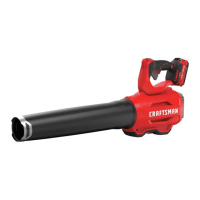
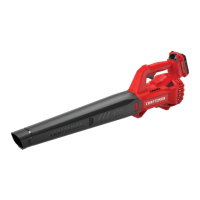
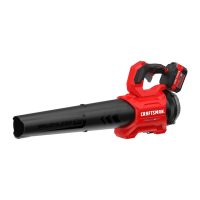
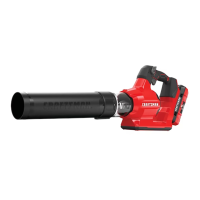
To turn the blower on, depress the variable speed trigger
1
.
Release the trigger to turn the bloweroff.
Boost Button
The boost button
2
is located on the tool handle. It allows
you to optimize the tools performance and boost the power
asneeded.
1. Switch the bloweron.
2. To activate the “boost” mode, press the
boost
button
down.
3. To deactivate the “boost” mode, press the
boost
button
down.
4. Operate in “Normal” mode for most blowing needs. (Longer
runtime will be achieved.)
5. Activate “boost” mode as needed to clear heavydebris.




 To Next Page