15
12. User Interface/Controls
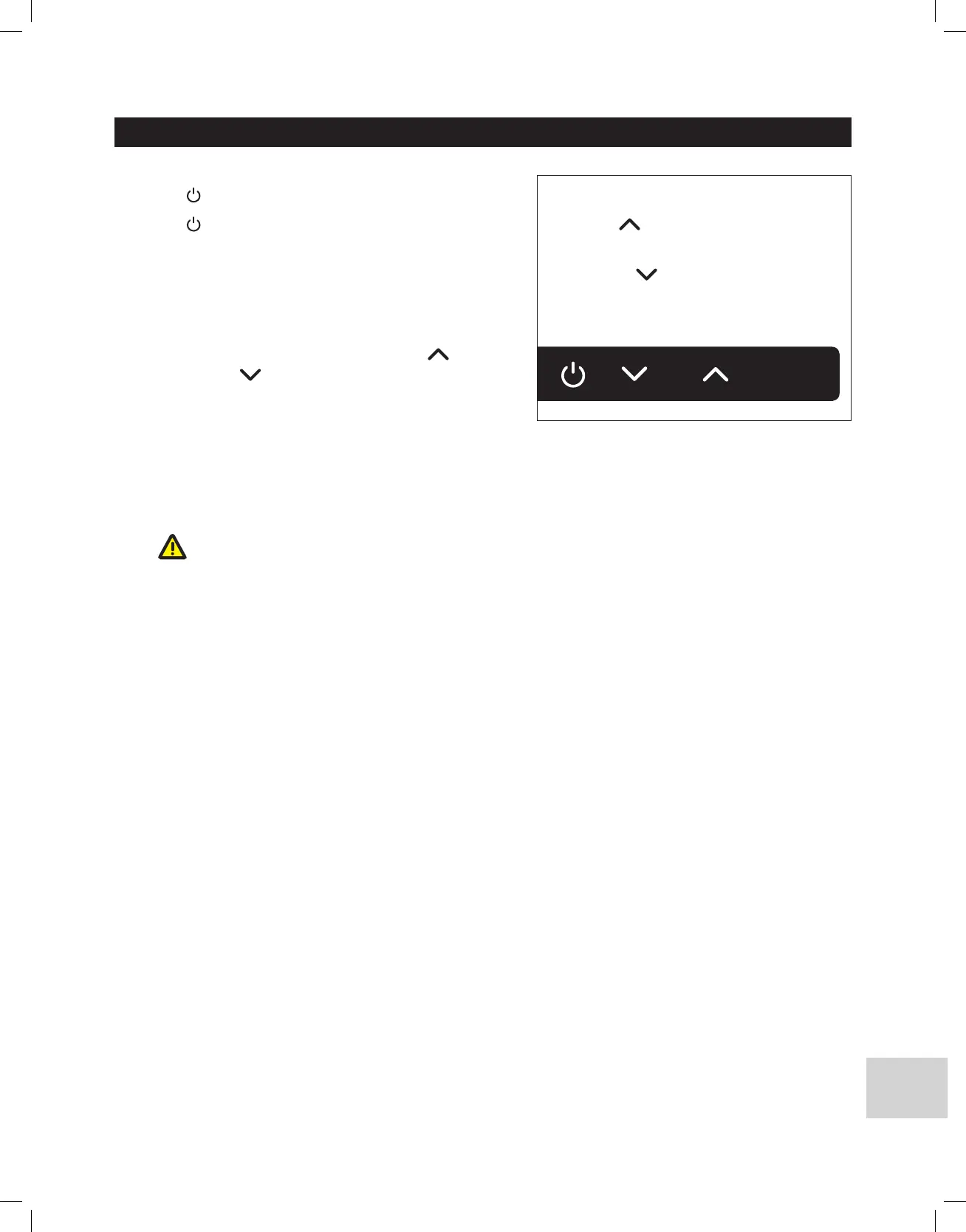
Power
• Press
button, the display will turn on
• Press
button again, the display will turn off
Setting the Output Water Temperature
• To set the temperature, first turn on a hot water faucet and allow
water to run through the heater. The digital display lights up and
shows the current temperature setting.
• To increase or lower the temperature setting, press
increase the
temperature or
to decrease the temperature.
• Temperature can be set to any temperature from 86°F (30°C) to
122°F (50°C).
• A comfortable temperature for bathing and showering is between
105°F (41°C) and 110°F (43°C).
• The recommended temperature setting is 118°F (48°C), which will deliver hot water for all household needs at a maximum water
flow rate.
CAUTION: A higher temperature setting is not recommended, as it can cause severe scalding injuries to children and elderly
persons. Higher temperatures also produce more scale buildup in water heating devices.
118
º
F
temp
Press button to raise the
temperature (up to 122°F / 50°C)
or Press button to lower the
temperature (as low as 86°F / 30°C)



 To Next Page