EasyManua.ls Logo

Craig CKR1307 - User Manual

Craig CKR1307
17 pages
Print Icon
To Next Page IconTo Next Page
Loading...
Model: CKR1307
PLEASE READ BEFORE OPERATING THIS EQUIPMENT.
Owner's Manual
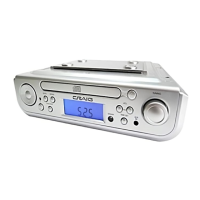
UNDERCABINET CD PLAYER
with AM/FM Alarm Clock Radio and
Bluetooth® Wireless Technology
UNDERCABINET CD PLAYER
with AM/FM Alarm Clock Radio and
Bluetooth® Wireless Technology

Questions and Answers

  • L
    Linda RodriguezAug 3, 2025
    Why is there no sound coming from my Craig CKR1307 CD Player?
    • L
      lisawilkersonAug 3, 2025
      If there is no sound coming from your Craig CD Player, the volume might be set to the minimum level. To fix this, simply increase the volume by pressing the VOL + (VOL UP) button.
  • J
    Jason ZhangAug 11, 2025
    How to fix a Craig CKR1307 that won't play CDs?
    • J
      Jeffrey WhiteAug 11, 2025
      If your Craig CD Player isn't playing CDs, first ensure the unit is set to CD mode. In power-on mode, repeatedly press the FUNCTION button until “---” or “no” (No Disc) appears on the display. Also, make sure the CD is placed correctly on the CD tray with the printed label side up.
  • B
    Billy FarrellAug 19, 2025
    Why does my Craig CKR1307 CD Player have distorted sound on radio broadcasts?
    • C
      collin13Aug 19, 2025
      If you are experiencing noise or distorted sound on radio broadcasts with your Craig CD Player, it could be due to several reasons. First, try retuning the radio station. If that doesn't work, the location might not be ideal for radio reception. Try unwinding the FM Antenna Wire on the rear to its full length and/or relocating it. As an alternative, reassemble the unit to another location for potentially better radio reception.
  • J
    Jose HernandezAug 27, 2025
    How to troubleshoot a Craig CKR1307 CD Player with no power?
    • J
      Jason WeaverAug 27, 2025
      If your Craig CD Player has no power, ensure that the plug is inserted into a wall outlet that provides AC 120V~, 60 Hz.

Summary

Important Safety Instructions

General Safety Precautions

Covers electric shock, laser hazards, FCC warnings, and servicing requirements.

Preparation for Use

Connecting Power Sources

Instructions for connecting the AC power cord and installing backup batteries.

Location of Controls

Installation

Undercabinet Mounting Procedure

Step-by-step instructions for mounting the unit under a cabinet.

Operation Modes

Bluetooth Pairing

Steps for pairing a Bluetooth device with the unit for wireless audio.

Playback Features

Bluetooth Playback and Re-pairing

Details normal Bluetooth operation and how to pair with a new device.

CD Playback Modes

Radio and Auxiliary Input

Alarm and Shut-off Functions

Setting the Alarm

Step-by-step guide to set alarm time and wake-up source (CD, FM, AM, Buzzer).

Troubleshooting Guide

Power Issues

Solutions for the unit not receiving power.

Radio Reception Problems

Troubleshooting steps for noise, distortion, or no sound on radio broadcasts.

BT and CD Playback Issues

Solutions for Bluetooth not functioning, sound distortion, and CD playback errors.

Limited Warranty

Craig CKR1307 Specifications

General IconGeneral
BrandCraig
ModelCKR1307
CategoryCD Player
TypePortable
Playable MediaCD, CD-R, CD-RW
FeaturesAnti-skip protection, Headphone jack
Audio OutputHeadphone Jack
Power SourceAC Adapter or Battery
Battery Type2 x AA batteries