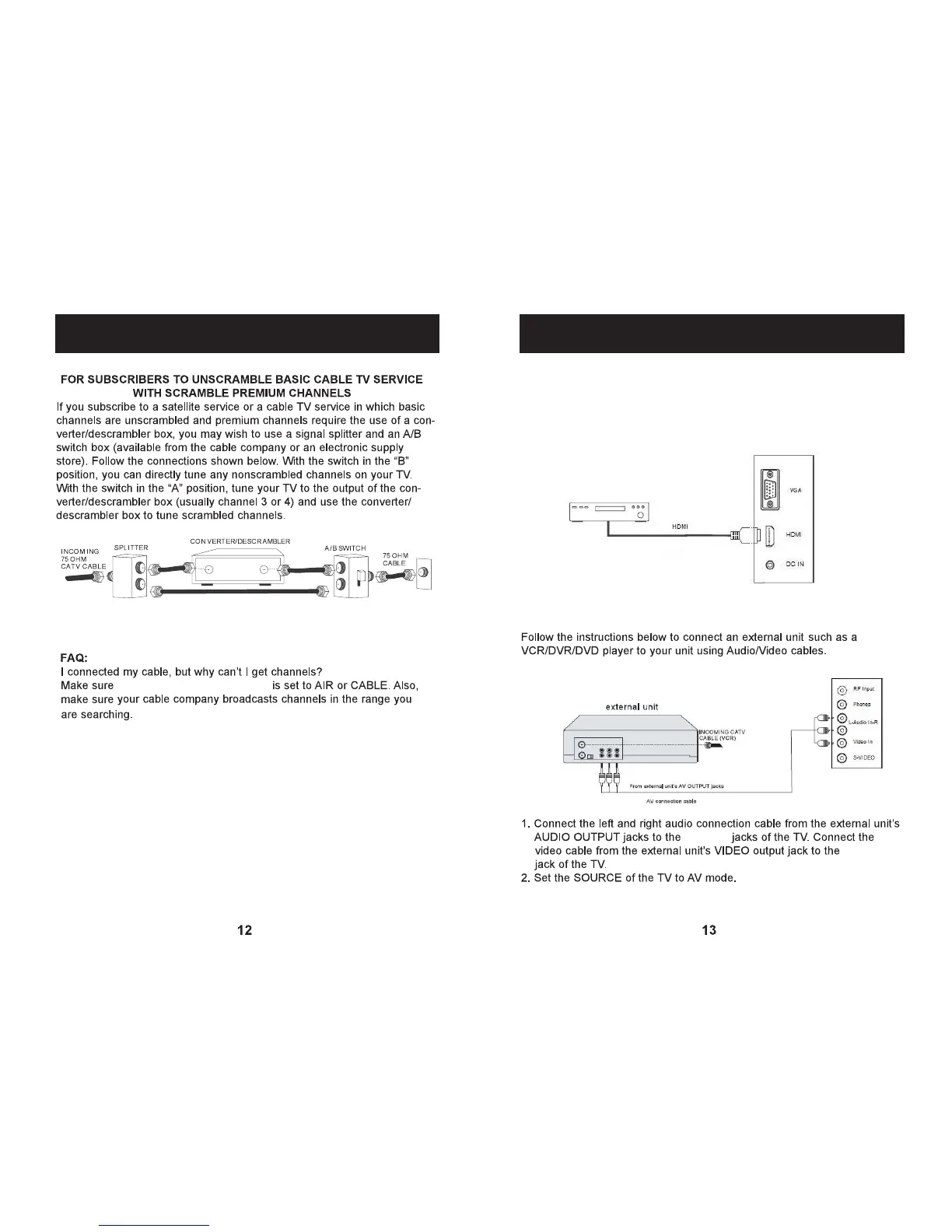
the signal type in setting menu
CABLE CONNECTIONS
1. Connect the HDMI cable (not included) from the HDMI of the TV to the
HDMI of external unit as the figure below.
2. Set the SOURCE of the TV to HDMI mode.
Video In
CONNECTION USING AUDIO/VIDEO JACKS (CABLES NOT INCLUDED):
HDMI
VGA
PC-Audio In
L-Audio In-R
Phones
CONNECTION USING HDMI(CABLE NOT INCLUDED):
Audio In
Video In
CABLE CONNECTIONS


 To Next Page