TO CHARGING EXTERNAL DEVICE:
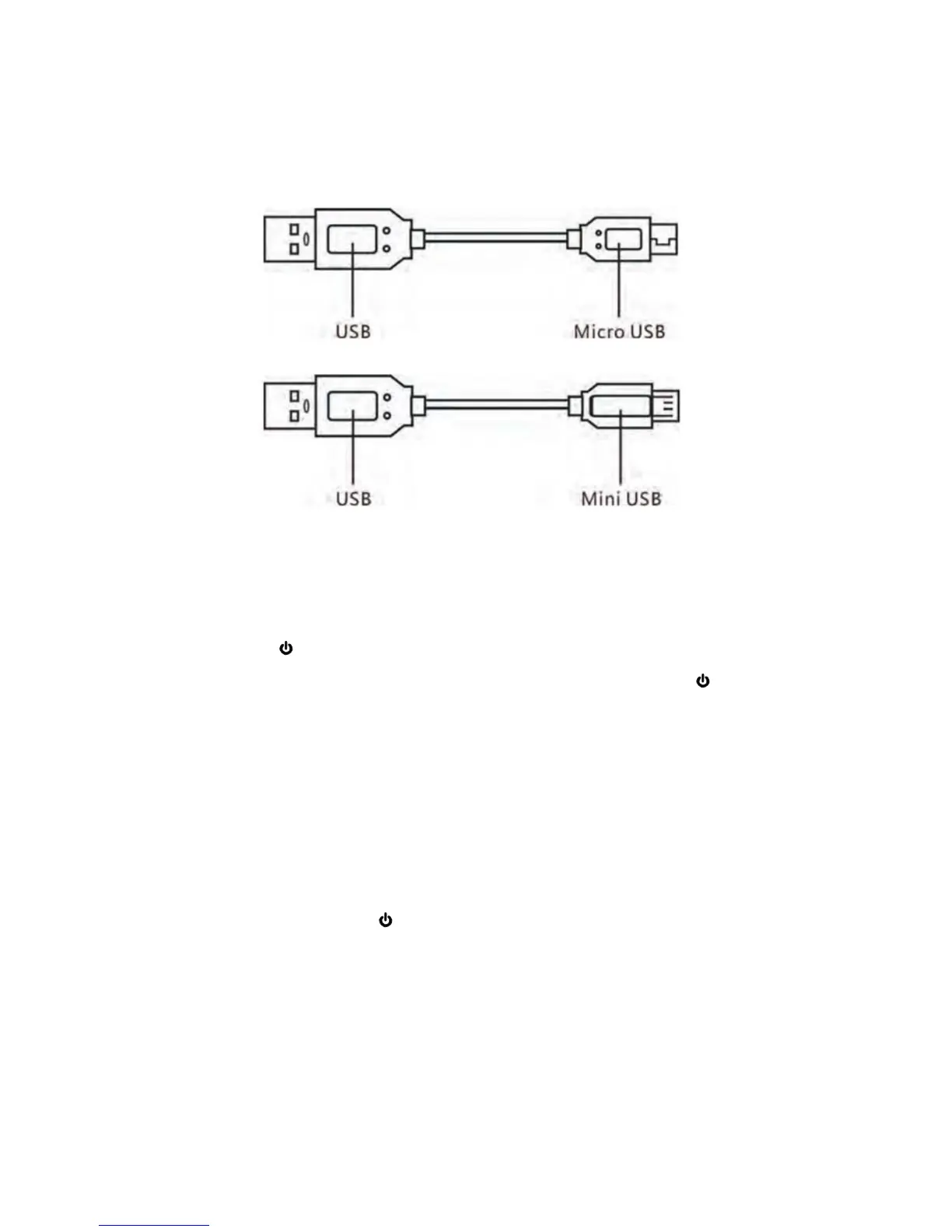
1. Choose the correct connection cable from our supplied cables as below to match the
charging port of your external device:
2. Insert the Micro USB plug (or Mini USB plug) to the Micro USB Port on the external
device you wants recharge.
3. Insert the Full size USB plug to the USB Port 1 or 2 on the top of unit (If charging iPad
or high power unit, insert it to USB Port 2).
4. Press the Power ON/OFF Button to start charging the external device. (Note: Auto
charging may not activate in some cell phone models. In this case, press Power ON/OFF
Button to start charging).
5. Wait the external unit was fully charges as usual.
IMPORTANT: If the output of the Power Bank is overload. The Power Bank will turned off
automatically. In this case, disconnect the Power Bank from the connected device. Wait a few
minutes, the Power Bank will resume to normal.
LED FLASHLIGHT:
55
In power off mode, press the
Press twice again to turn it off.
Power ON/OFF Button on the front of unit twice to turn it on.
5


 To Next Page