EasyManua.ls Logo

Craig CRT713 - User Manual

Craig CRT713
12 pages
Print Icon
To Next Page IconTo Next Page
Loading...

Questions and Answers

  • B
    Brandon VaughanAug 3, 2025
    Why is my Craig Drones remote control not working?
    • T
      Tiffany GreenAug 3, 2025
      If the Craig Drones remote control isn't functioning, it might be due to consumed batteries. Replace them with new ones. Alternatively, the batteries may be incorrectly installed. Reinstall them, ensuring they match the polarity markings inside the battery compartment.
  • C
    Christopher RoblesAug 8, 2025
    What to do if my Craig CRT713 unit is not working?
    • A
      andrewlarsenAug 9, 2025
      If your Craig Drones unit isn't working, several factors could be the cause. First, the built-in battery might not be connected. Connect the built-in battery to the unit. Second, the built-in battery might be consumed and requires a recharge. Recharge the built-in battery. Finally, the unit might not be paired with the remote control. Pair the unit to the remote control.
  • D
    Derek WyattAug 15, 2025
    How to stop the blades after landing Craig CRT713 Drones?
    • D
      dballardAug 15, 2025
      If the blades of your Craig Drones are still running after landing, the unit may not have shut off properly. Push the Left Joystick on the Remote Control downward and wait until the blades stop turning. After that, unplug the battery from the unit by disconnecting the plug from battery to DC IN Jack on the unit.
  • A
    Amanda SanchezAug 20, 2025
    What to do if Craig Drones control is abnormal?
    • J
      jesse66Aug 20, 2025
      If you experience abnormal control or unstable motion with your Craig Drones, it could be that one or more blades are deformed or damaged. Inspect the blades and replace any deformed or damaged ones with new blades.
  • B
    brobertsonAug 27, 2025
    How to fix Craig CRT713 unit that is not moving straight?
    • O
      ochavezAug 27, 2025
      If your Craig Drones unit isn't moving straight or is auto-turning, adjust the motion using the Left/Right Trimmer and/or Forward/Backward Trimmer.

Summary

General Warnings

Important Instructions

Product suitability for 14+, read manual before use.

Safety Instructions

Keep away from objects, crowds, water, working unit, and fast-moving blades.

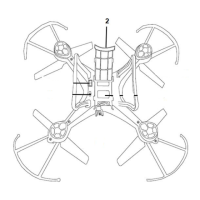
Location of Controls: Main Unit

Remote Control Layout

Preparations: Battery Recharging

Connect Charging Cable to Battery

Attaching the USB cable's small jack to the battery connector.

Connect USB to Power Source

Connecting the USB cable to a computer or charger for power.

Battery Recharging and Notes

Connect Battery to Unit

Inserting the charged battery into the unit's DC IN Jack.

Install or Replace Remote Batteries

Install AA Batteries

Proper insertion of four AA batteries, observing polarity markings.

Battery Precautions

Battery Usage Rules

Use specified types, correct polarity, avoid mixing batteries, remove for storage.

Charging and Disposal Safety

Avoid overcharging, do not dispose in fire, clean contacts before installation.

Operation with Remote Control

Power On Unit and Remote

Steps to turn on the drone and activate the remote control.

Pair Remote to Unit

Procedure for establishing communication between the remote and the drone.

Basic Flight Controls

Using joysticks for ascent, descent, and directional movement.

Fine-Tuning Flight Controls

Using trimmers to correct flight drift and ensure stability.

Special Flight Modes

Activating 3D rolling and adjusting speed settings.

Replacement of Blades

Blade Replacement Procedure

How to replace damaged or deformed blades using a screwdriver.

Troubleshooting

Limited Warranty

Craig CRT713 Specifications

General IconGeneral
BrandCraig
ModelCRT713
CategoryDrones
LanguageEnglish