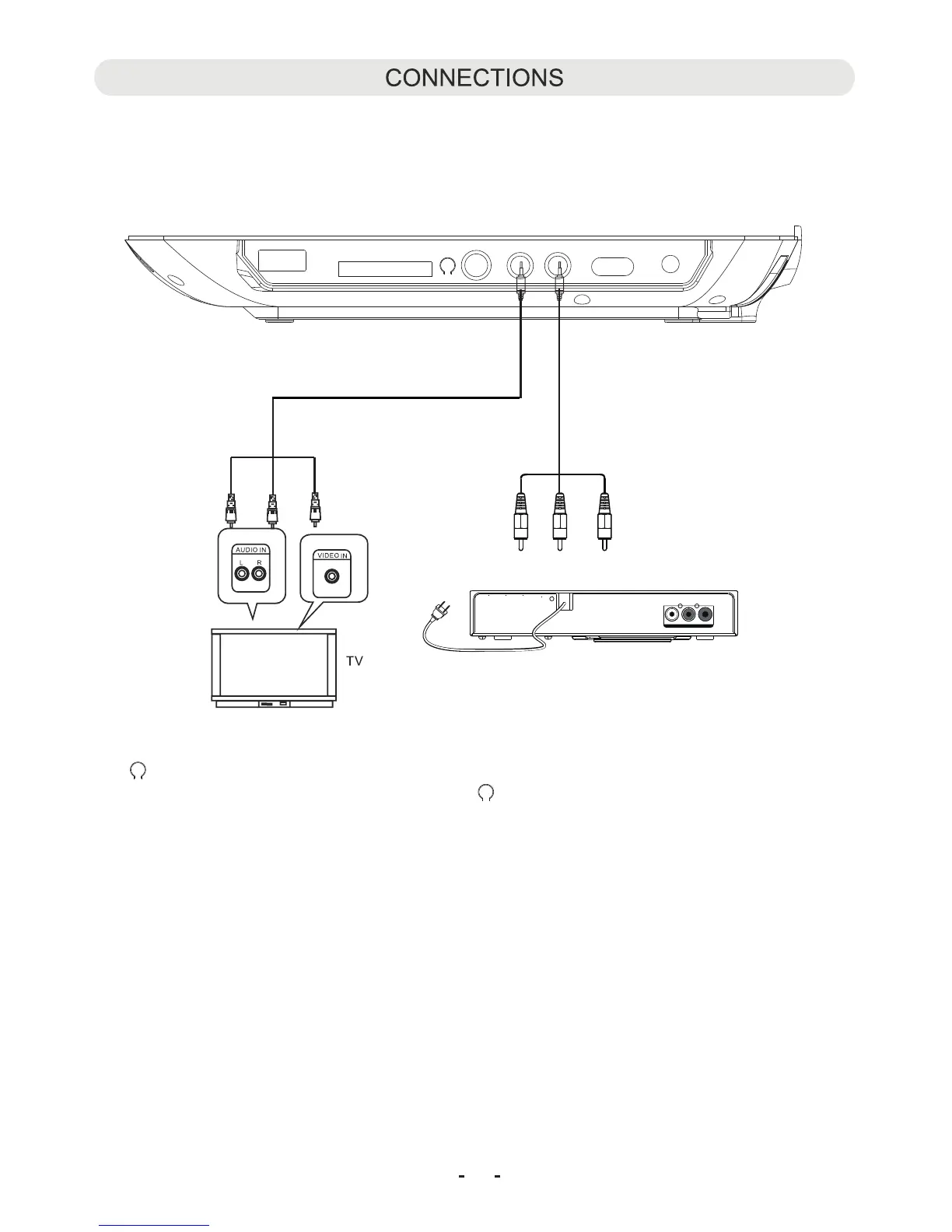
White Red Yellow
Figure 1
1. Connect the external TV to the unit through the AV-OUT jack as the Figure 1 below.
2. Connect the external Video Player such like DVD Player, VCR, VDR to the unit through the AV IN jack as the Figure 2 below.
3. After connected res t he SOURCE button on the unit repeatedly to select the AV in or out modes as the connecting.
HEADPHONE:
For private listening, connect the supplied Earbuds into th eadphone jack on the side of unit.
The speakers will be disconnected when Earbuds are inserted into the jack.
11
Connected to the External Video Player
AUDIO OUT
L R
120V ~ 60Hz
VIDEO OUT
VIDEO
External Video
Player
DIGITAL
Figure 2
DC INOFF ON
AV-INAV-OUT
CARD
USB
s, p
e H



 To Next Page