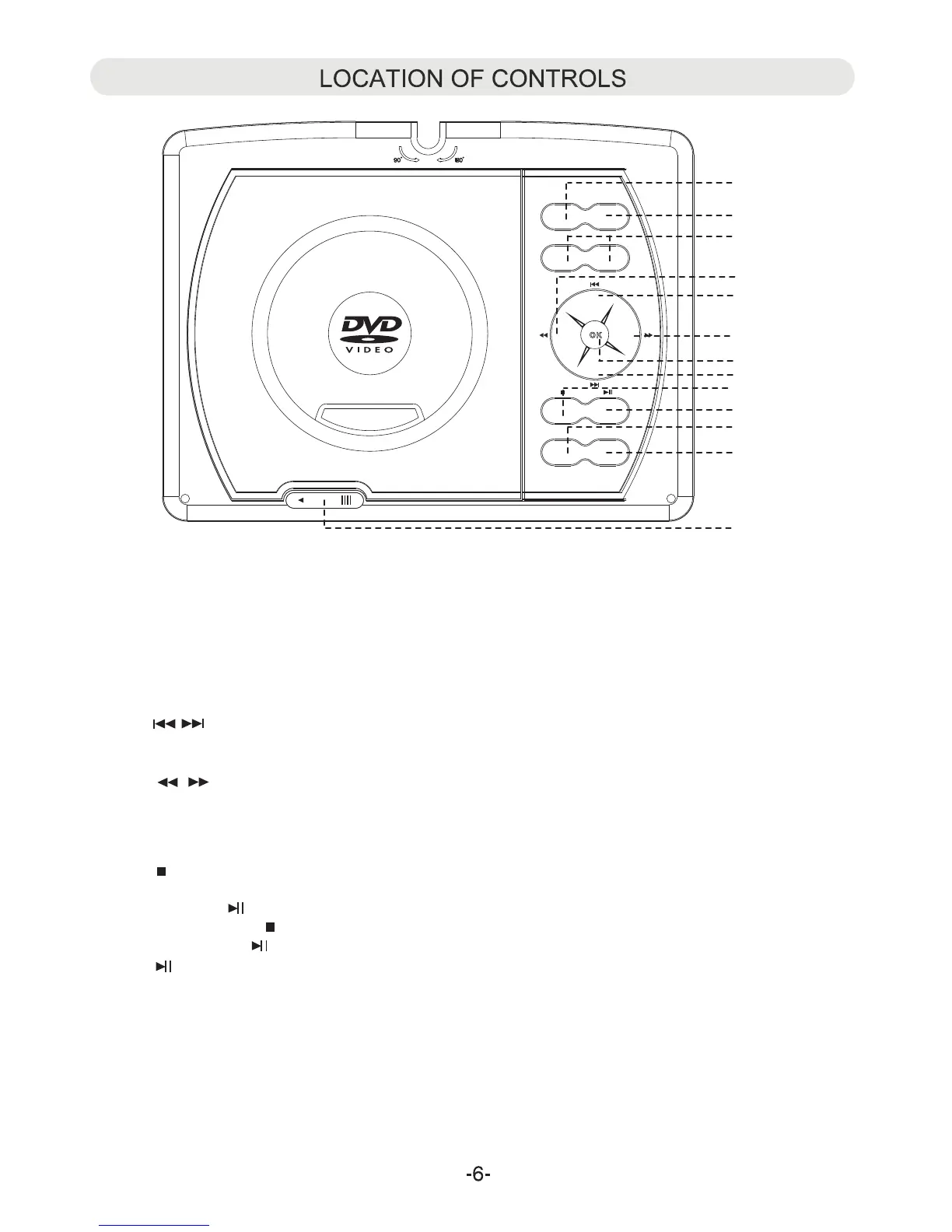
1. SOURCE:
~ Press to switch to AV IN mode; press again to resume normal mode.
.
2.
3.
~ When playing, press this button to pause. Press again to resume normal playback.
7
9
11
.
.
VOL (Volume)-:
~ Press to decrease the volume level.
~ Press to turn on/of h
SETUP:
OPEN:
OK:
~ Press to confirm the selection.
SO UR CE
DV D
US B/ SD
VO L- VO L+
SE TU P
DVD/USB/SD:
~ When USB device and/or SD Card was inserted, press repeatedly to select the playback source as desired.
~ While DVD/CD playing, press this button once to pre-stop (In this mode, when press the
Play/Pause utto gain. The player will start to play the point you were stopped).
~ Or press the Stop wice to stop playback completely (In this mode, when press
th The player will start to play the current disc from
eginning).
.
VOL (Volume)+:
~ Press to increase the volume level.
OPEN
LC D ON/OF F
LCD ON/OFF
tf e display.
b
4
.
10
.
b
t
n a
uttob n
e
/Pause utto gain.
b n aPlay
5
.
6
.
8
.
~ In audio playback or AV out mode, press this button to turn off the screen to save the battery power. Press again
to turn back the screen.
~ Slide to left to open the disc door.
~ In disc playback mode, press repeatedly to skip to previous/next chapters/tracks as desired.
~ In setting menu, press repeatedly to move the cursor upward or downward within the menu.
~ In disc playback mode, press to fast forward or fast backward.
~ In setting menu, press repeatedly to move the cursor left and right within the menu or return to previous menu.
1
2
3
5
5
6
7
8
9
10
11
4
4



 To Next Page