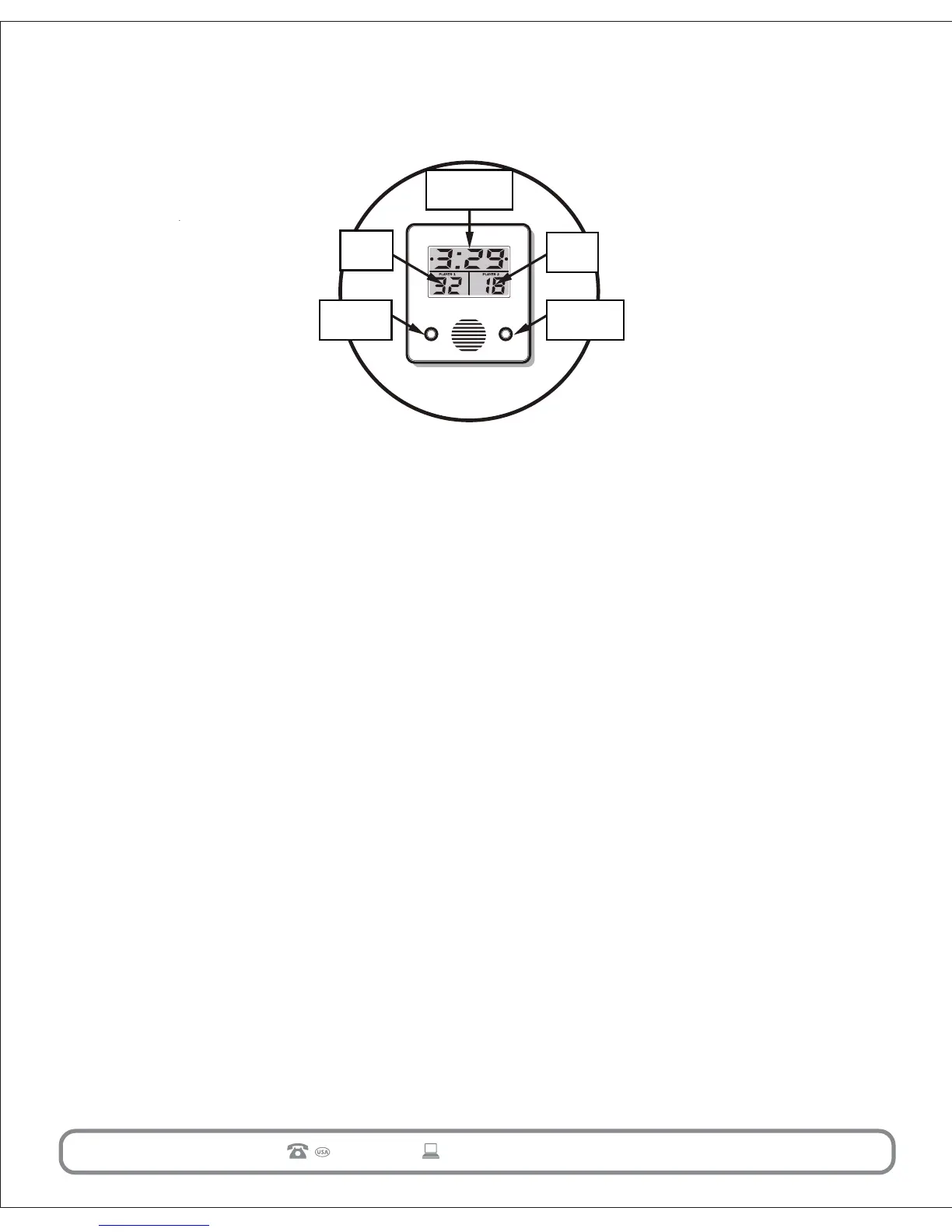
iv. ELECTRONIC SCOREBOARD INSTRUCTIONS
12
877-852-8164
AFTER SALES SUPPORT
45884
mmdservice@themdsports.com
How To Play
1. To turn game power on, press ON/OFF/START button. Note: Display will read G 1.
2. To turn game power off, press and hold ON/OFF/START button for approximately
3 seconds.
3. To switch between game modes after game is turned on, press SELECT/SOUND
ON OFF button.
4. Once game mode is selected, for example G 1, press ON/OFF/START button to
begin play.
5. To turn sound off, press and hold SELECT/SOUND ON OFF button for
approximately 3 seconds. To turn sound back on, repeat.
Game Modes
G 1: Single Player, One Hoop
. Player must score only on Home hoop.
. 2 points are counted for every shot made on only the Home hoop.
. There is no time limit or point maximum.
G 2: Single Player, Any Hoop
. Player must score on HOME or VISITOR hoop.
. 2 points are counted for every shot made on either hoop.
. There is no time limit or point maximum.
G 3: Single Player, Alternating Hoop
. Player must score on alternating hoops. For example: score on HOME, score on
VISITOR, score on HOME, score on VISITOR, etc.
. 2 points are counted for every shot made on the correct hoop.
. There is no time limit or point maximum.
G 4: Two Player, Count Up
. Each player must score on their own hoop - HOME or VISITOR.
. 2 points are counted for every shot made.
. Time is preset to one minute.
. The winner is the player who scores the most points in one minute on their
own hoop.
Timer OR Game
Mode Display
Player 2
Score
On/Off Start
Button
Select/Sound
On Off
Button
Player 1
Score


 To Next Page