ALWAYS use fresh cool water when operating the humidifier.
1. Turn Water Tank upside down and unscrew Water Tank Cap.
2. Fill Water Tank with cool water. DO NOT fill water all the way to the rim.
DO NOT CARRY FULL WATER TANK BY HANDLE.
ALWAYS HOLD FULL WATER TANK WITH TWO HANDS.
DO NOT use hot water. Use cool tap water.
DO NOT add any medication, essential oils, or salt.
DO NOT pour water into Mist Outlet Channel.
3. Screw Water Tank Cap back onto Water Tank. Turn the Water Tank over and
place on Water Base, making sure it fits perfectly.
Note: Do not attempt to move the humidifier while Water Tank is placed on
Water Base. Doing so may cause leakage of water and/or Water Base to overfill.
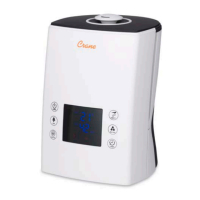
4. Plug the power cord into a wall socket and turn on the unit by using the Control
Knob.
5. Use the Digital Control Panel to select the mode of your choice. The blue Power
Indicator Light will illuminate. In a few seconds, mist will start emitting.
6. Use the Digital Control Panel to adjust the intensity of the mist output.
SET THE CORRECT HUMIDITY OUTPUT: Adjust the Digital Control Panel so that
the mist rises up to be absorbed by the room air. Do not set the mist output too
high, as the mist cannot be absorbed by the air and may accumulate on the surfaces
around the humidifier.
7. When the humidifier runs out of water, the humidifier will automatically shut off
and the mist will stop. The Low Water Indicator Light will illuminate red. This
safety feature uses a water level sensor to stop the Nebulizer once the water
level sinks below the required level in the Humidifier Base.
Note: The indicator light on the humidifier will remain on. The red light
indicates that the humidifier is turned on and needs to be refilled.


 To Next Page