0
The color of the
I
space your mover
I
is
on tells you which
activity to play.
Since you're on a
red space at the
beginning, play the
Data Head Dice
Slide activity first.
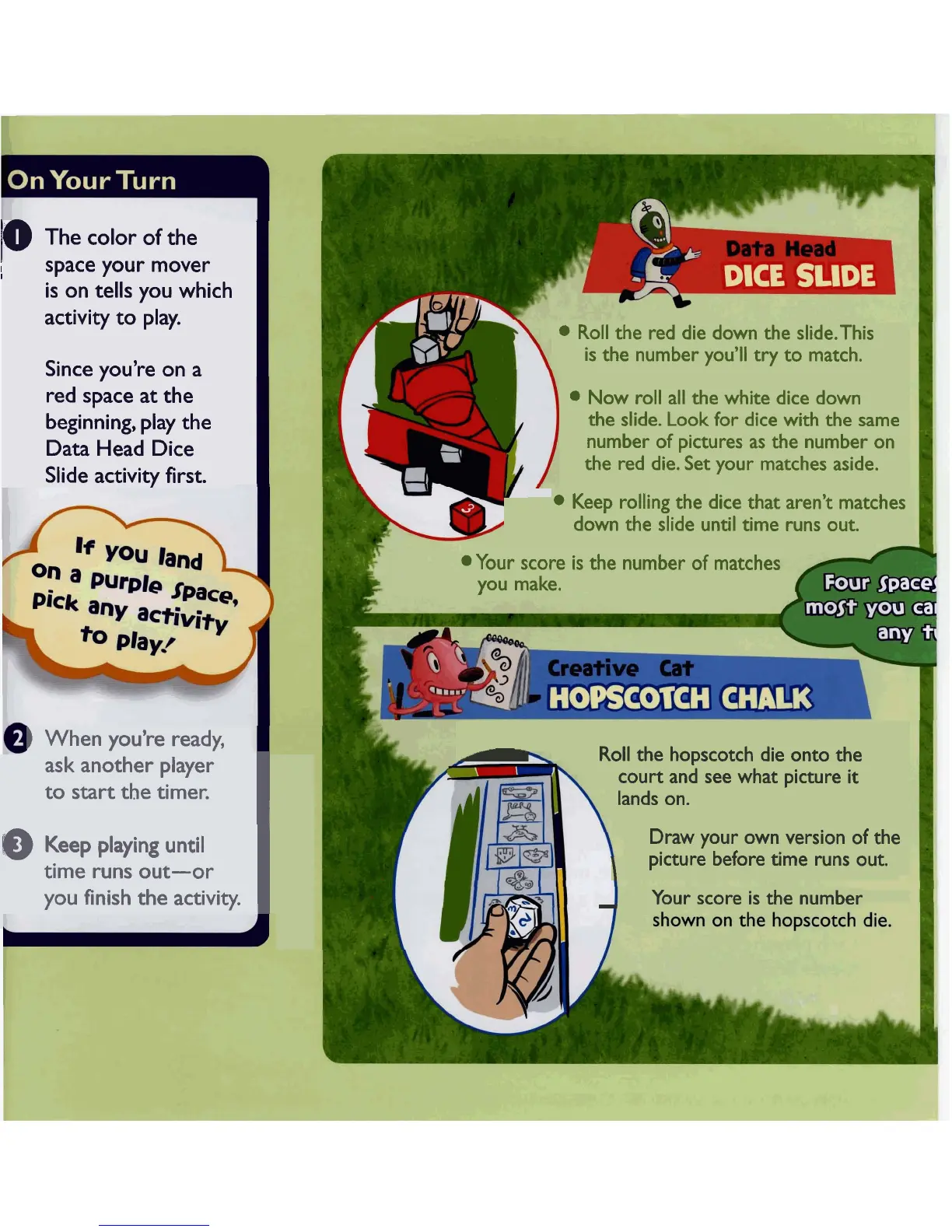
Roll the red die down the slide.This
is the number you'll try to match.
Now roll all the white dice down
the slide. Look for dice with the same
number of pictures as the number on
the red die. Set your matches aside.
Keep rolling
the
dice that aren't matches
down the slide until time runs out.
Your score is the number of matches
you make.
)
When you're ready,
ask another player
to start the timer.
I
-
Roll the hopscotch die onto the
court and see what picture
it
lands on.
Draw your own version of the
I
picture before time runs out.
@
Keep playing until
time runs out-or
you finish the activity.
I
-
Your score is the number



 To Next Page