About the DXJFC:
What it is and what it does:
The Crate DXJFC MIDI Footcontroller is a foot-operated “remote control” designed to work with your Crate DX
amplifier. Using the DXJFC, you can:
• Access up to 10 factory or user-defined presets
• Change presets “on the fly”
• Set the “tap tempo” for an effect
• Adjust selected amplifier controls (when used with an expression pedal)
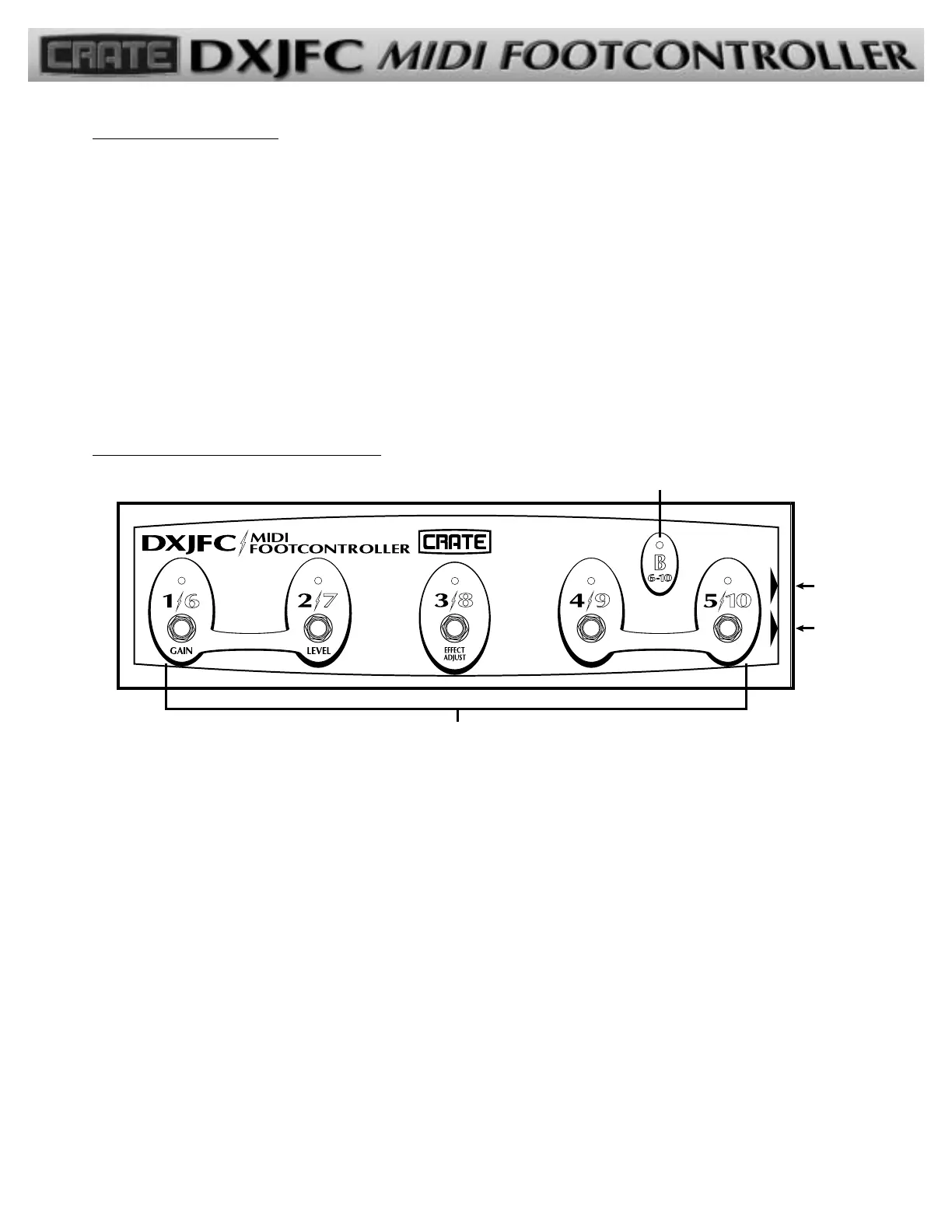
The Front Panel/Side Jacks:
11)) SSeelleeccttoorr bbuuttttoonnss::
Use these buttons to:
A) Select the desired preset,
B) Set the tap tempo for the selected preset,
C) Assign an expression pedal to a DX ampli-
fier control knob (#1/6 and 2/7 pressed
simultaneously),
D) Change banks (#4/9 and 5/10 pressed
simultaneously)
AA::
To select a preset, step on the numbered button
which corresponds to the desired preset.
BB::
To set the delay times or modulation speeds (tap
tempo) of the effects, step three times on the button
of the selected preset in time with the desired tempo.
(The DX amplifier manual lists specifically what the Tap
button controls for each of its effects.)
CC::
To assign an expression pedal to a control knob, see
“Assignment of a DX Control Knob” on page 3.
DD::
To change banks, see the section “Selecting a
Preset” on page 2.
22)) BBaannkk BB IInnddiiccaattoorr::
This LED illuminates when the “B”
bank (presets 6-10) is selected. See “Selecting a Preset”
on page 2
33)) MMIIDDII OOuutt jjaacckk::
Use this jack to connect the DXJFC
to your DX amplifier using a standard MIDI 5-wire inter-
connecting cable.
44)) EExxpprreessssiioonn IInnppuutt jjaacckk::
Use this jack to connect the
optional expression pedal to the DXJFC for remote
control of a DX amplifier control knob.
-1-


 To Next Page
 Loading...