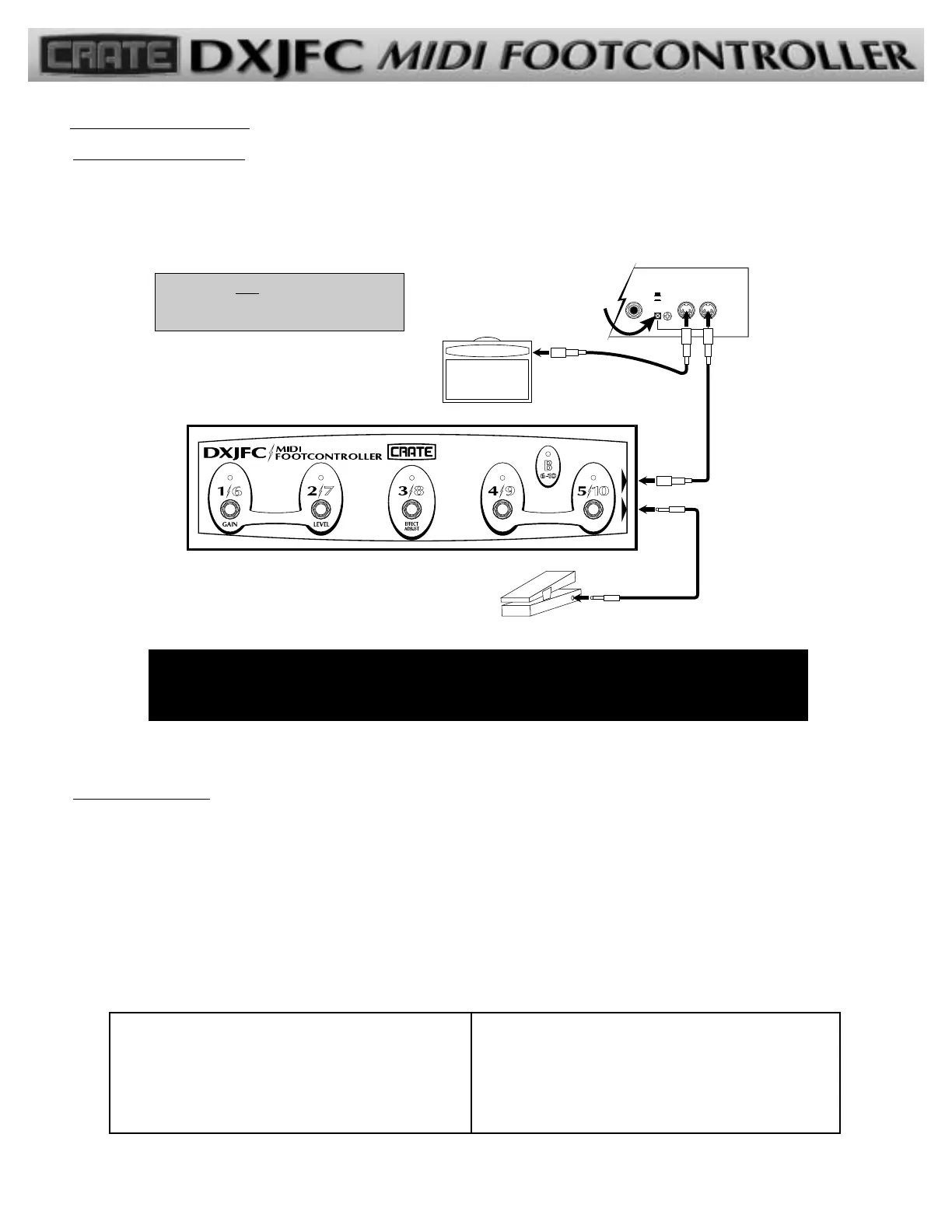
CONNECTING THE DXJFC: Use a standard 5-wire MIDI interconnecting cable* to connect the DXJFC’s MIDI Out jack to the MIDI In
jack of your DX amplifier or other MIDI-controllable device.
If you are using an expression pedal, use a standard instrument signal cable to connect the pedal’s output jack to the DXJFC’s
Expression Input jack.
NOTE: When using the DXJFC with the Crate DX amplifier, you MUST DEPRESS THE “CRATE FOOT CONTROLLER” SWITCH ON
THE BACK OF THE DX AMPLIFIER! The switch is located next to the amp’s MIDI Thru/Out jack. If you don’t, the DXJFC doesn’t
get its power and it won’t work. (To avoid damage when using any MIDI device other than a Crate footcontroller with a DX ampli-
fier, make sure this switch is set to the “STANDARD MIDI” position.)
SELECTING A PRESET: The DXJFC lets you access the 10 presets in groups (or “banks”) of five – 1-5 (bank A) and 6-10 (bank B). To
access bank B, step on the “4/9” and “5/10” buttons simultaneously. The Bank B indicator LED illuminates, and the buttons will access
the second number (for example, the “2/7” button will access preset 7 when the Bank B indicator is illuminated).
NOTE: There will be no preset display LED illuminated until another preset is chosen after you change banks.
Each Selector button has two numbers – which of those two numbers is the “active” number depends on the setting of the
bank. Remember: the presets work in banks of five. You have to get to the correct bank to access the preset within that bank. The
chart below will help clarify this:
TToo aacccceessss GGoo ttoo SStteepp oonn TToo aacccceessss GGoo ttoo SStteepp oonn
PPrreesseett:: BBaannkk:: SSeelleeccttoorr bbuuttttoonn:: PPrreesseett:: BBaannkk:: SSeelleeccttoorr bbuuttttoonn::
01 A
11
/6 06 B 1/
66
02 “
22
/7 07 “ 2/
77
03 “
33
/8 08 “ 3/
88
04 “
44
/9 09 “ 4/
99
05 “
55
/10 10 “ 5/
1100
Using the DXJFC:
*
NOTE: You must use a 5-wire MIDI cable
when connecting the DXJFC to the DX amplifier
or no power will be sent to the footcontroller!
-2-


 To Next Page
 Loading...