37
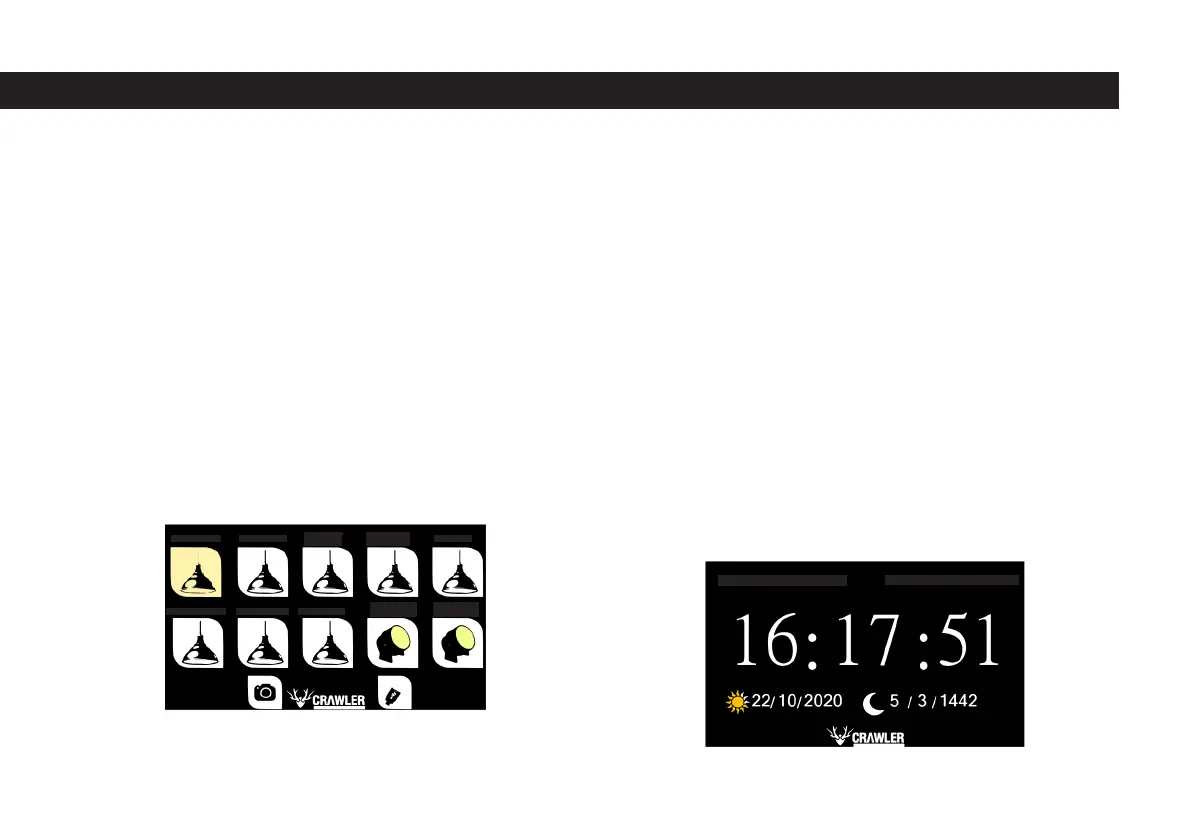
The text on each button indicates which region that button controls.
For example, the button on the top left of the page that says “KITCHEN HALL”
controls the lighting system in the kitchen hall. When the button is active, its
color will turn yellow. All of the buttons used on the smart panel are active in
yellow. This is shown in the image below for the kitchen hall.
The text on each button indicates which region that button controls. For examp-
le, the button on the top left of the page that says “KITCHEN HALL” controls the
lighting system in the kitchen hall. When the button is active, its color will turn
yellow. The button at the bottom of this page, which is active in all of the buttons
used on the smart panel, and with the camera symbol on it, is optionally used to
turn the camera system used for rear view on and off, placed behind the vehicle.
The usb symbol on it is used to turn the usb charging units in the caravan on
and off. You can return to the main page with the red back button located at
the bottom left of the page. The screen saver will appear on the screen in about
a minute when various operations are performed on the lighting page and no
operations are performed afterwards. For example, after activating a few lighting
systems, if the screen is not touched for about one minute, it will switch to screen
saver mode. The screen saver includes caravan interior and exterior temperature
information, time information, Hijri and Gregorian calendar information. A samp-
le image is shown in the picture below. The color of the tone is yellow, which is
shown in the image below for the kitchen hall.
INTERIOR TEMPERATURE: 22.0
KITCHEN HALL
BED COMPARTMENT SEATING GROUP WC
LEFT
EXTERIOR
RIGHT
EXTERIOR
COUNTERTOP
HALL
KITCHEN
FRONT HATCH
KITCHEN
CUPBOARD
EXTERIOR TEMPERATURE: 25.0



 To Next Page