TRC458
Crawler Smart Panel
As it can be viewed in the picture, since the booster can be seen as a tank that
continues on it without stopping, the booster will be automatically experienced
by the system and, like the system in the picture, it is apparently from your hand
and as the information booster that you are seeing, how is the booster of the
booster. In order to renew the booster, the water tank must be emptied and the
tank must be emptied properly.
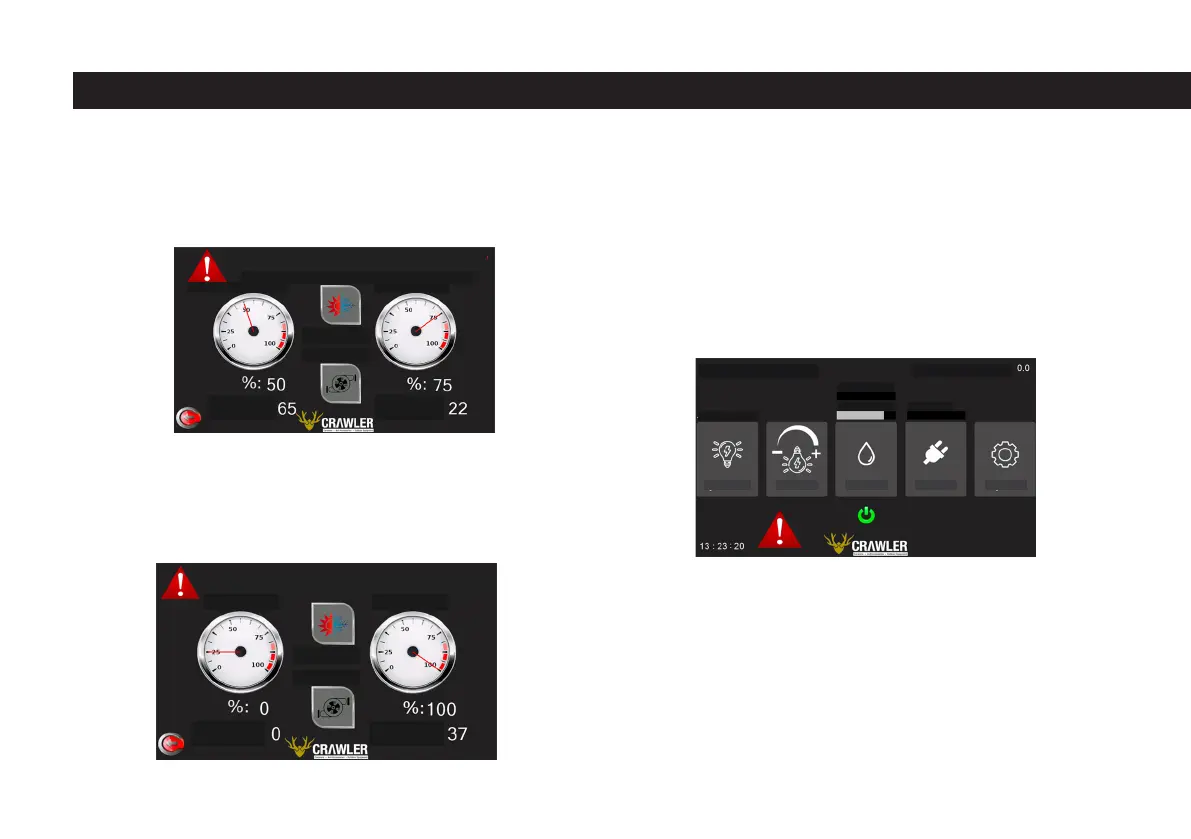
In addition, the exclamation mark at the beginning of the warning texts is also
displayed on the main page. When the tank full warning or the water booster
stop warning occurs, this exclamation mark appears on the main page, this
situation is shown in the image below. If the exclamation point is clicked, the
water page will open and give information about the source of the warning on
the screen.
1.4 Electric Sheet
The electricity page is accessed by clicking the button on the main page that
says “Electricity”. On the electricity page, there is a battery icon on the left
side of the screen and a solar icon on the right. The battery icon represents the
battery on the caravan and the inside of the battery is colored, showing the bat-
tery status as a percentage, and the percentage level is also displayed digitally
next to the battery. Just below the battery indicator, the voltage of the battery
is displayed momentarily, just below the voltaic indicator, the average current
drawn per minute is displayed and is updated approximately every one minute.
CLEAN WATER
CLEAN WATER
Liter:
Liter:
Liter:
Liter:
GRAY WATER
GRAY WATER
Frost Protect
Frost Protect
Hydrophore
Hydrophore
INTERIOR TEMPERATURE: 0.0
CLEAN WATER %: 0
GRAY WATER %: 0 BATTERY %: 0
ACTIVE LAMPS: 0
Lighting Dimmer Water Electricity Settings
EXTERIOR TEMPERATURE: 0,0
Gray Water Tank Critical Level!
To turn on the hydrophore empty the Gray Water tank!
Hydrophore will shut when tank is full.
40



 To Next Page