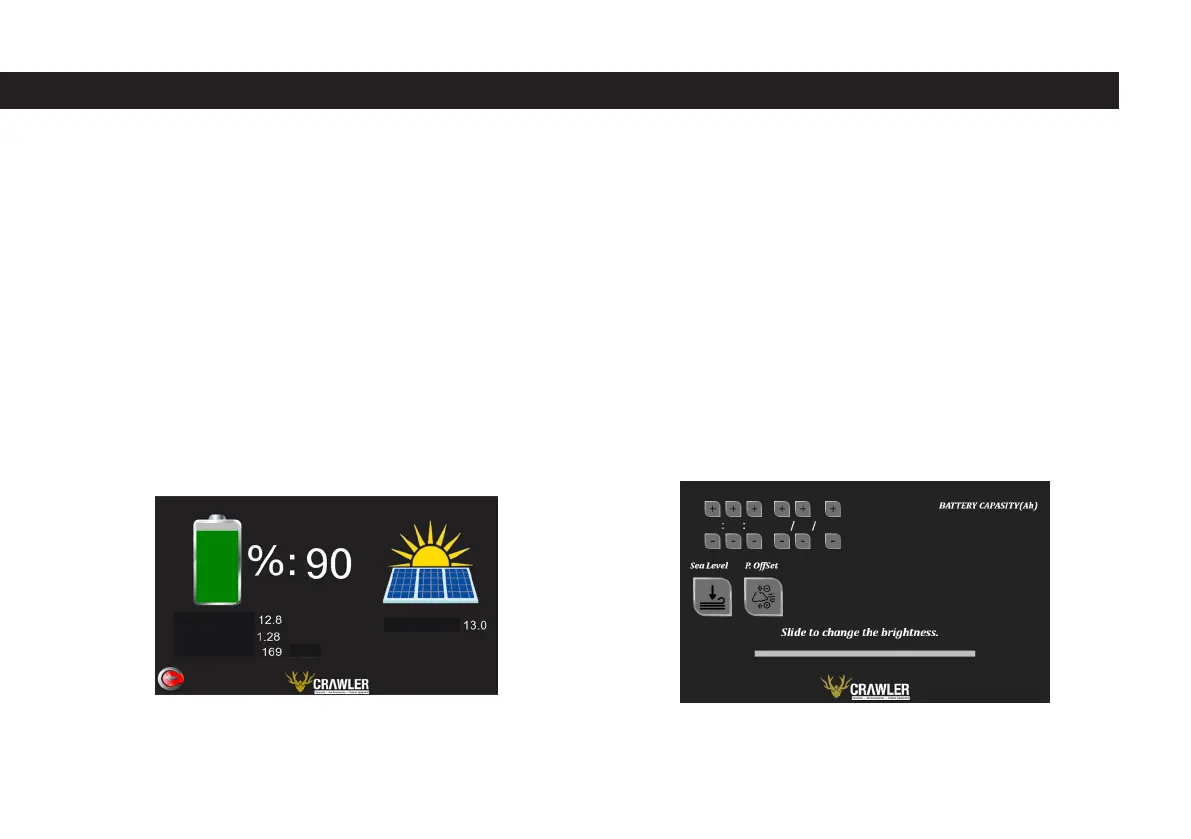
Just below the current indicator, there is the remaining hour indicator calculated
according to the percent voltage of the battery and the average of the current
drawn. It is recalculated approximately every one minute according to the per-
cent voltage of the battery and the current average amount of current drawn.
As the amount of current drawn per minute increases, the remaining hours
available decrease, and as the current drawn decreases, the remaining hours
available increase. The electrical page is shown in the image below. The solar
voltage is shown on the left side of the screen.
1.5 Settings Sheet
The settings page is accessed by clicking the button on the main page that says
“Settings”. In the upper left part of the settings page, there are time and date
information, respectively, and a group of buttons to set this information. There
are two buttons, plus and minus, for each digital of the time and date. These
buttons are located above and below the relevant digital. It can be brought to
the desired value by using the digital plus and minus buttons to be adjusted. In
the upper right part of the screen, the battery capacity of the caravan is shown.
The user cannot interfere with the battery capacity. If users with a single battery
increase their battery capacity later, they must increase their battery capacity as
a technical service from Crawler, otherwise wrong results will be obtained in the
values calculated on the electrical sheet. The settings page is shown in the image
below.
On the lower part of the screen, there is a slider where we can adjust the brigh-
tness of the screen. This slider can be moved to the desired value by sliding the
slider to the right and left.
BATT. VOLTAGE:
BATT. AMPER:
BATT. LEFT: Hours
Solar Voltage:
41



 To Next Page