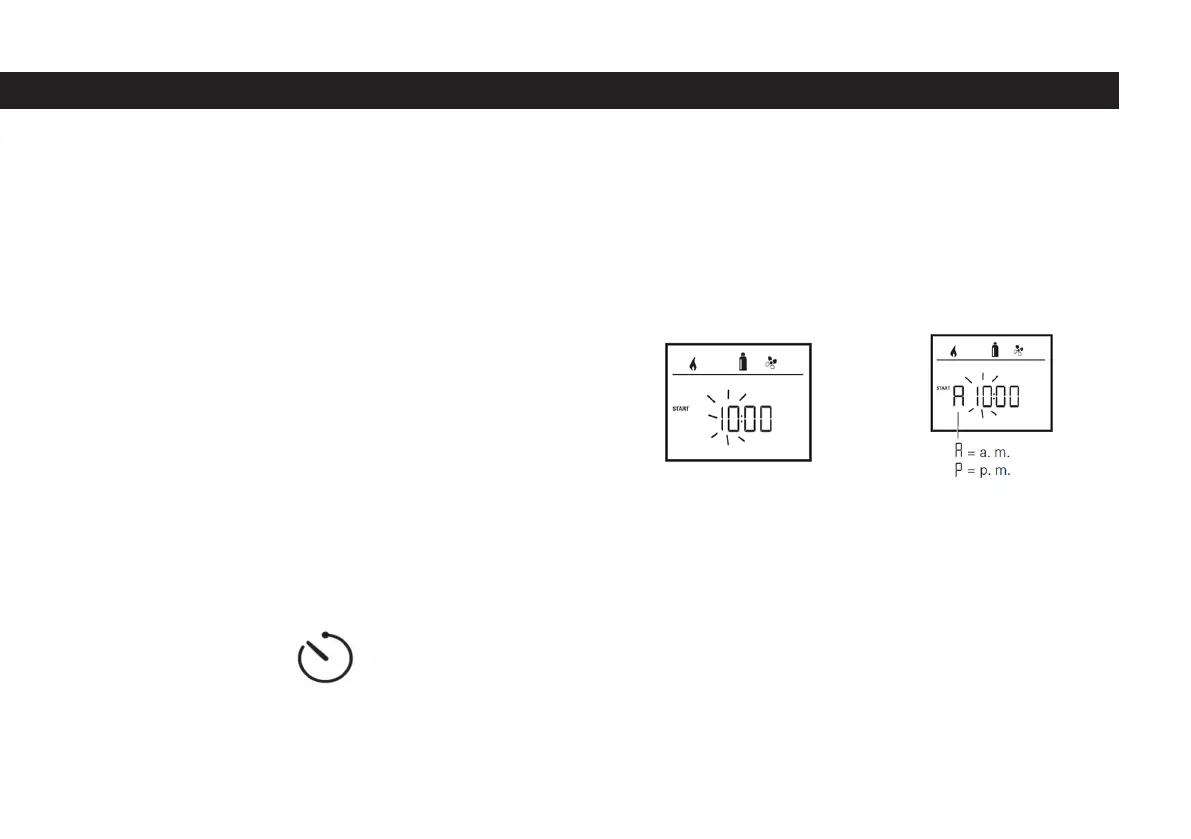
- When the screen is turned on for the rst time, the hour is ashing. Use the
number 8 button to move the time to the desired value by swiping left and right.
- When the time reaches the value you want, conrm the time by clicking on the
button 8.
- After conrming the time, the minute segment will ash.
- Set the minute value to the value you want by using the button number 8.
- When the minute value reaches the value you want, conrm the minute by
clicking the 8 button.
2.8.2 Setting The Timer
Danger of poisoning by exhaust gases
The activated timer also starts the heater when the car is parked. Exhaust gas
from the heater can cause poisoning in closed spaces (eg garage, workshop).
If the vehicle is parked indoors:
- Cut off the fuel supply (gas) to the heater.
- Switch off the Truma CP plus VarioHeat control unit (see “On / Off”) to prevent
the heater from being reactivated by the Truma App or the timer.
- Only use the timer of the Truma CP plus VarioHeat control unit to clearly set
the start and end time of the desired interval when operating air conditioning
systems.
- If the timer is active (ON), it is necessary to disable the timer rst, if the timer is
inactive (OFF) it is shown in the menu.
- Select the timer setting symbol in the 4th menu line with the button number 8.
- Switch to the setting level by touching it.
Entering start time
First set the hour and then the minute with the button number 8.
Timer setting sign
24 Hour mode 12 Hour mode
51



 To Next Page