2.8.4 Warning / Fault
Warning
If the operating parameter is found outside the target range, the Truma CP plus
VarioHeat control unit immediately switches to the “Warning / Fault” menu level
and indicates that the fault
error code is displayed. With the help of troubleshooting instructions, the cause
of the warning in question can be determined and eliminated. Error and malfun-
ction codes are shown at the end of the Truma combi document under the topic
Truma CP plus VarioHeat Error and malfunction codes.
Returning to the setting level
Click on the number 8 button or press the Back button. If the screen is in Stand-
by mode, tapping activates the backlight and the warning can be conrmed by
clicking the screen again.
The respective device remains in operation, if possible. If the operating parame-
ter is again within the target range, the symbol will go out automatically.
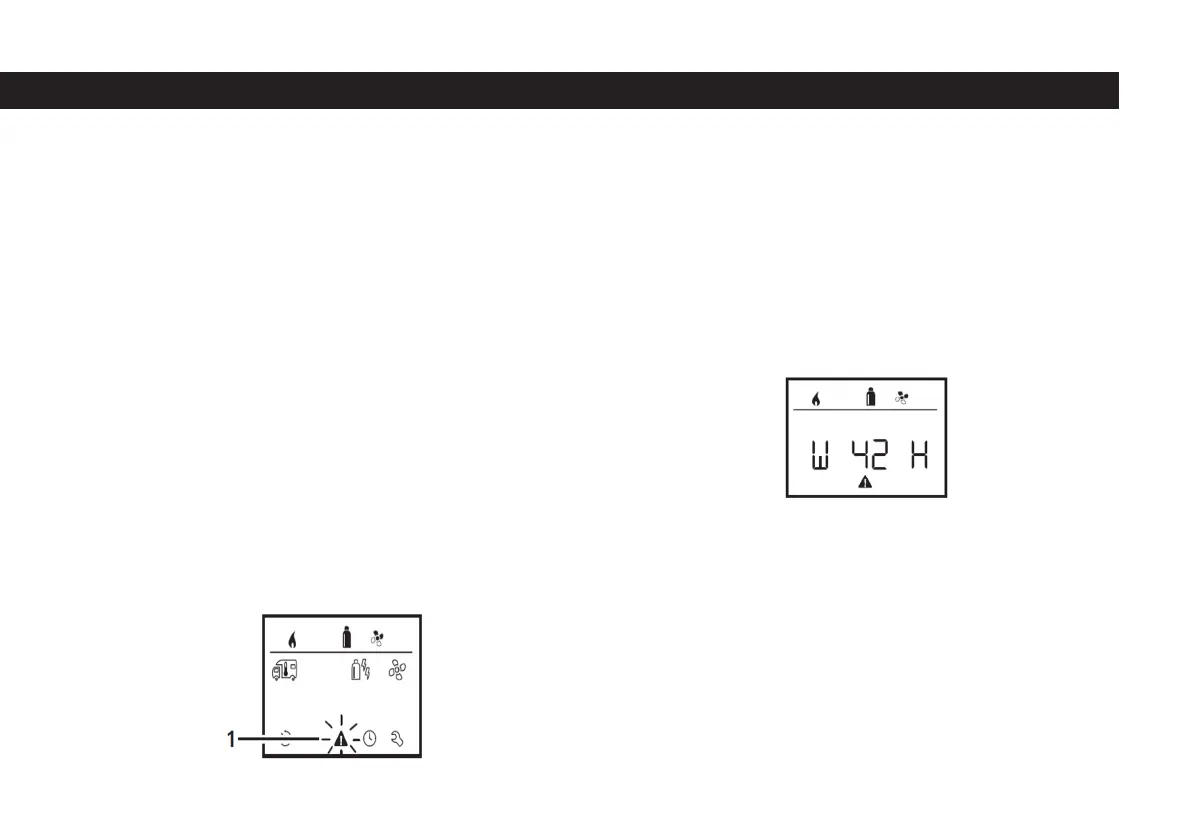
Reading The Error Code
The error code can be called again after the warning is acknowledged:
- Select the number one symbol seen in the picture with the number 8 button.
- Click on the symbol with the number 8 button. The error code of the alert will
W= Warning 42= Error code H= Device
- H= Truma VarioHeat
- A= Air conditioning system
- E= Truma E-Kit
Malfunction
In the event of a malfunction, the Truma CP plus VarioHeat control unit immedia-
tely switches to the “Warning / Fault” menu level and the fault code of the fault
is displayed: The fault can be detected and rectied using the troubleshooting
instructions. Error and malfunction codes are shown at the end of the Truma
combi document under the topic Truma CP plus VarioHeat Error and malfunction
codes.
57



 To Next Page