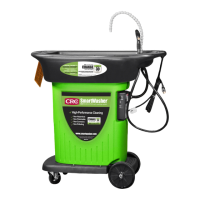
Issue: Machine Does Not Pump
Process StepsProcess
Ensure the switch is in the “On” position.
A
Ensure Pump LED is onsolid(If it is goto step 2).
B
If Pump LED is not on solid,callCRC TechnicalService.
C
Step 1
Removethe four or six Phillipshead
screws on the control box lid.
Process StepsProcess
Check for 120voltscomingout of the circuit boardat the connection
terminals.Unplug the 1brown, 1blue wire, and 1greenwith yellowtracer.
A
If 120voltsis presentout of the top and bottom terminals,replace the
pump. Ensure the switch is in the “ON” position when testing.
B
If 120voltsis not present,check for voltageacrossthe fuse. If blown,
replacefuse andpump. Do not replacejust the fuse.
C
If the fuse is goodand no voltagepresent, replacethe controlbox.
D
Step 2
PumpLED is SOLID
Pump Fuse
1AMP Slow Blow
Pump Terminals
Top: (Hot) Brown
Middle: (Neutral) Blue
Bottom: (Ground) Green
5


 To Next Page
 Loading...