
 Need help?
Do you have a question about the Create Bamboo and is the answer not in the manual?
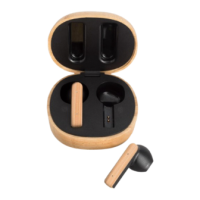
Earphones turn on automatically when the charging case is opened.
Earphones turn off and charge automatically when placed in the case.
Steps to connect the earphones to a mobile device via Bluetooth.
Answer, hang up, or reject calls using the function key.
Control music (play, pause, skip, volume) with earphone function keys.
Activate your device's voice assistant by triple-tapping the function key.
Headset alerts about low battery (approx. 2%) with warnings.
Place earphones in the charging case for automatic charging and status indication.
First LED flashes quickly when case charge is low (around 5%).
Connect Type-C cable to charge; indicator lights show progress and full charge status.
 General
| Driver Size | 40 mm |
|---|---|
| Frequency Response | 20 Hz - 20 kHz |
| Impedance | 32 ohms |
| Cable Length | 1.2 m |
| Connector | 3.5 mm |
| Weight | 200 g |

 To Next Page