6
Quick Start
How to Get the Camera Ready
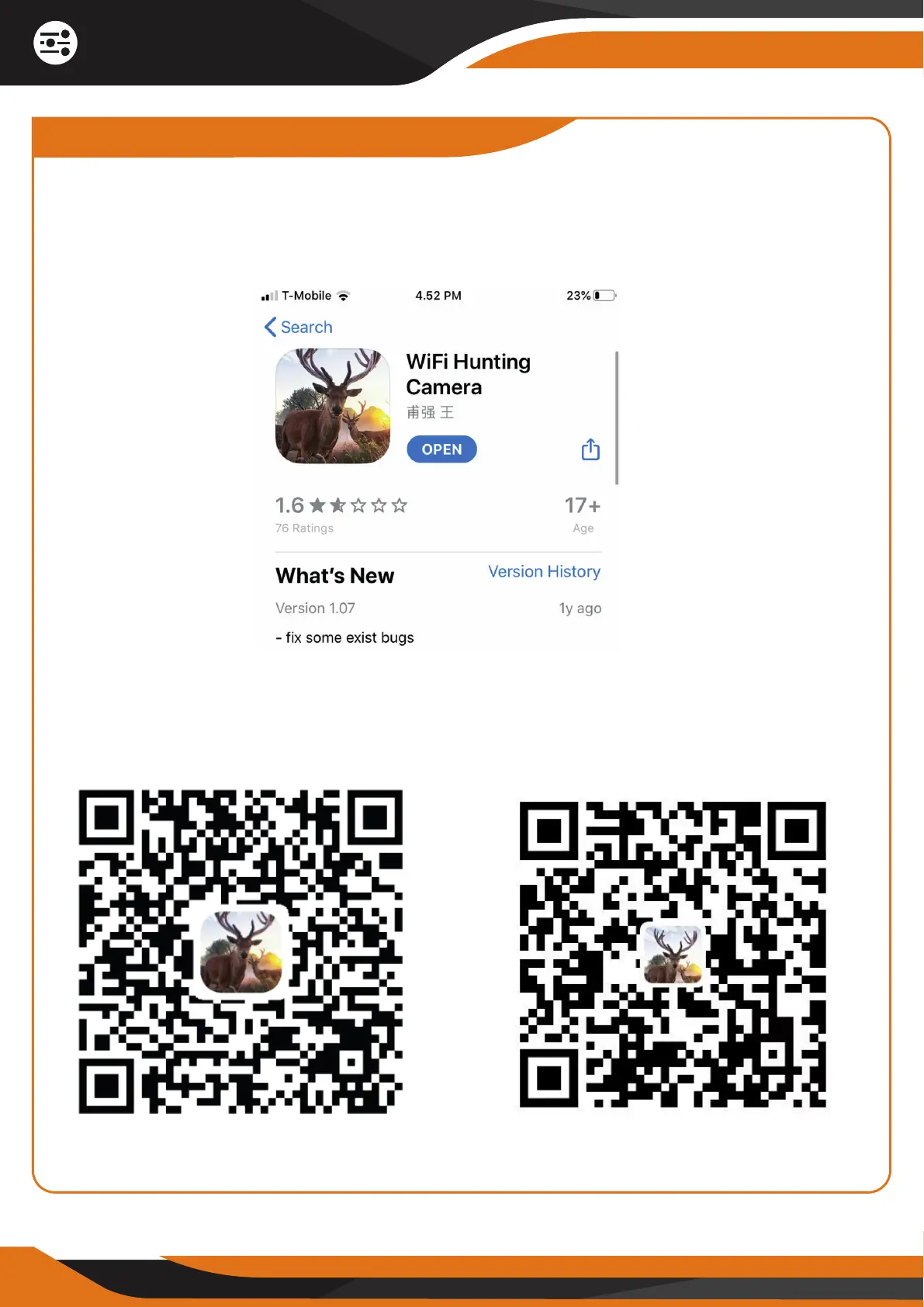
1. DOWNLOAD AND INSTALL THE “WiFi Hunting Camera” APP.
Go to your Apple App Store or Android Play Store and search for the “WiFi
Hunting Camera” App:
1.1 You can also download and install the “WiFi Hunting Camera” APP by
scanning one of the QR codes below (choose the correct QR code depending
on your smartphone):
Apple App Store Android Play Store


 To Next Page