10
Quick Start
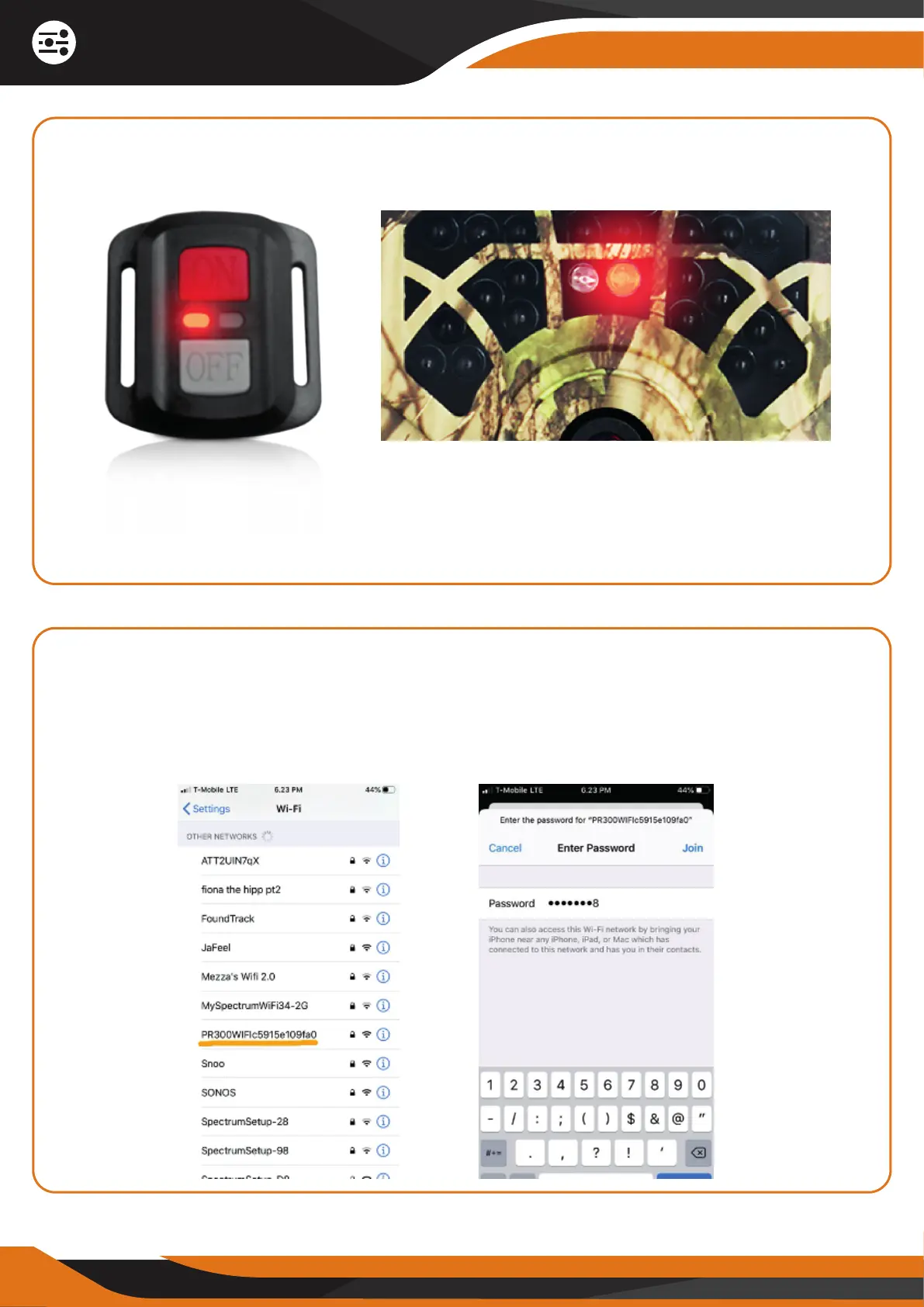
While you are holding the red ON button, the Wi-Fi red light on the remote
control will flash quickly until the camera’s red light will start flashing quickly
as well:
6. CONNECT YOUR PHONE TO THE CAMERA’S WI-FI NETWORK
Now, go to your phone’s “Wi-Fi” section -> find the camera’s Wi-Fi network
name – it starts with “PR300WIFI…” – and click on it to connect. Insert the
password “12345678”.
Note: The Camera Wi-Fi feature is ON when the camera’s red light will start
flashing quickly.
Remote Control Red Light Trail Camera Red Light


 To Next Page