4
❒
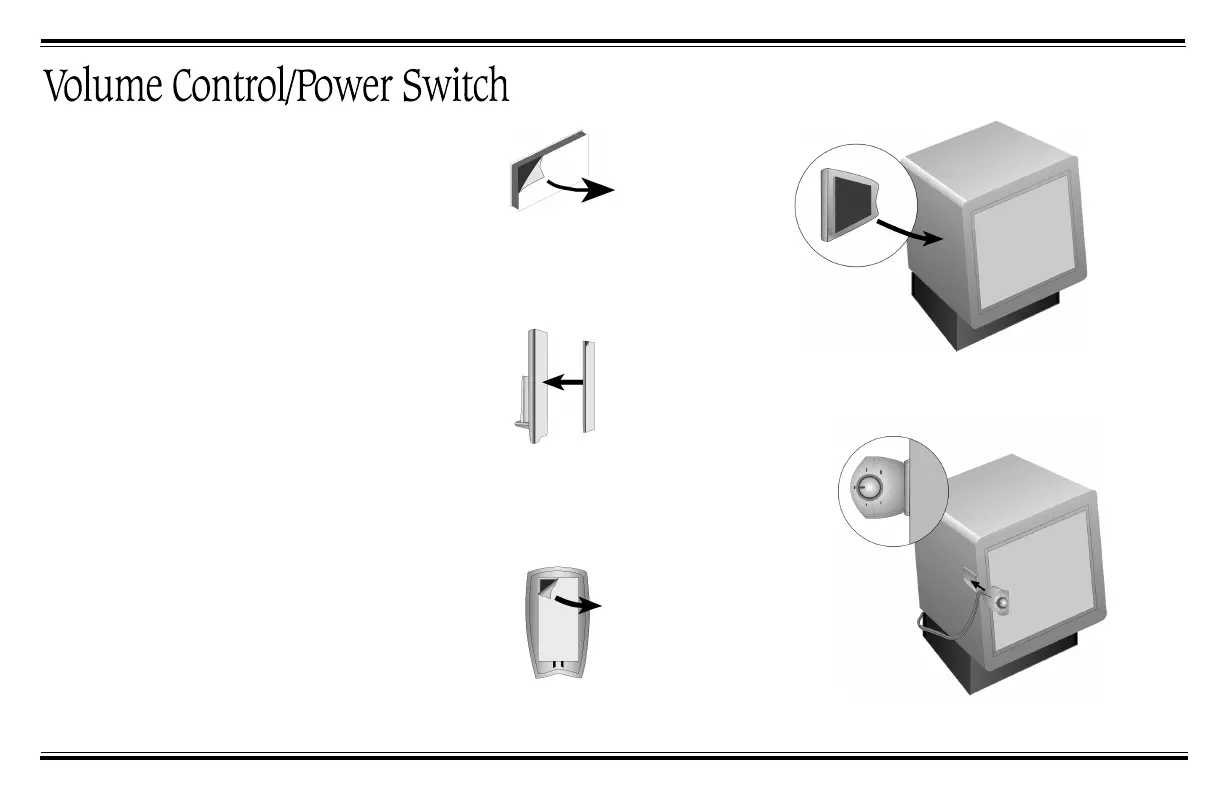
Attach the Volume Control holder
only to a mounting surface that
is smooth and clean, for example,
the side of your computer
monitor.
❒
See “Controlling Noise and
Distortion” on page 7 for related
information.
5
Slide the volume control into the holder.
2
Press exposed adhesive side firmly
against back of holder.
1
Remove protective paper from one
side to reveal adhesive.
3
Peel off remaining paper strip from
mounting tape on holder.
4
Press the exposed adhesive side firmly
against the mounting surface.
FPS1500.fm Page 4 Monday, July 10, 2000 3:47 PM









 To Next Page