5
Transfer Songs
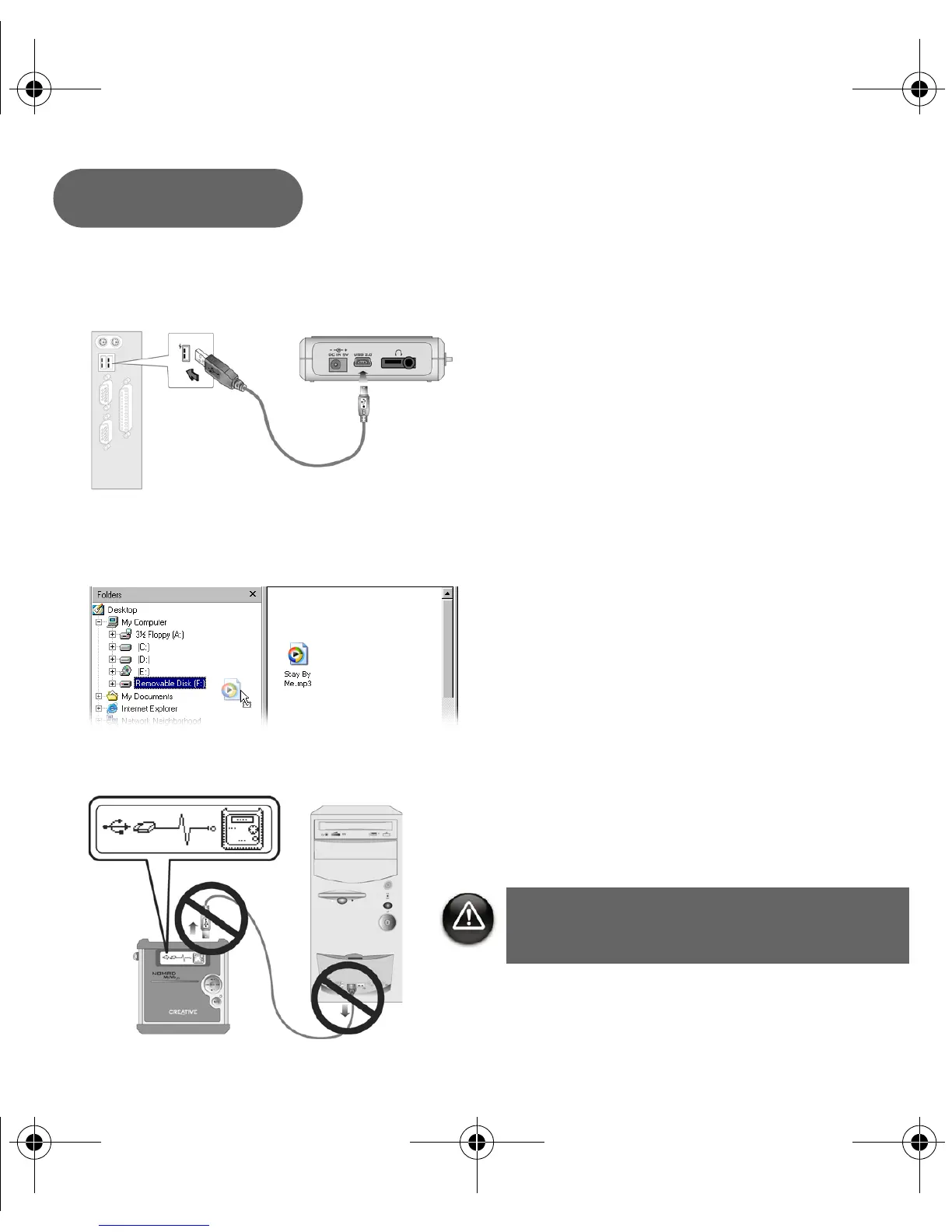
1. Connect your player to your computer’s USB port using the supplied USB cable.
2. Launch Windows Explorer on your computer. Your player is recognized as a Removable
Disk in Windows Explorer.
3. Transfer MP3, WAV or WMA files to your player using a drag-and-drop operation.
4. After the transfer is complete, make sure you stop your player before disconnecting it from
your computer. See “Disconnecting your player properly” on page 7.
Step 3
DO NOT disconnect player
while file transfer is in progress.
New_English_Omicron_13pg.fm Page 5 Tuesday, March 23, 2004 6:47 PM














 To Next Page